InVideo AI video editor (2026) review
While there are several AI image and video generation tools on the market, InVideo differentiates itself by carving out a dedicated niche. Built from the ground up for creative teams, filmmakers, and professionals, InVideo offers the easy-to-use conversational AI Agent One, which helps you create highly professional videos using simple English instructions. This is probably why it's trusted by teams at Netflix, Nvidia, Meta, LinkedIn, and Google.
In this article, we put InVideo to the test to see if it lives up to its claims. Read on as we try out its top features and evaluate its pricing, ease of use, and compare it to the best AI video editors to help you find out if it's the right choice for your needs.
InVideo: Plans and pricing
You can check out InVideo by clicking here.
InVideo offers as many as four individual plans and two plans for teams and enterprises. One good thing about InVideo is that all of its plans come with access to more than 200 AI models, including Seedance 2.0, Veo 3.1, Nano Banana Pro, ElevenLabs Music, and Kling 3.0. Plus, every plan includes all the features that InVideo has to offer, the only difference is the usage limits.
The paid plans start at $17 per month (Plus plan), which comes with 75 credits per month. Here, you get 20 GB of storage, access to 100 iStock assets, and four AI avatars and voice clones. The next plan, priced at $85 per month (Max), comes with 390 credits, 16 AI avatars, 100 GB of storage, and access to 200 iStock assets.
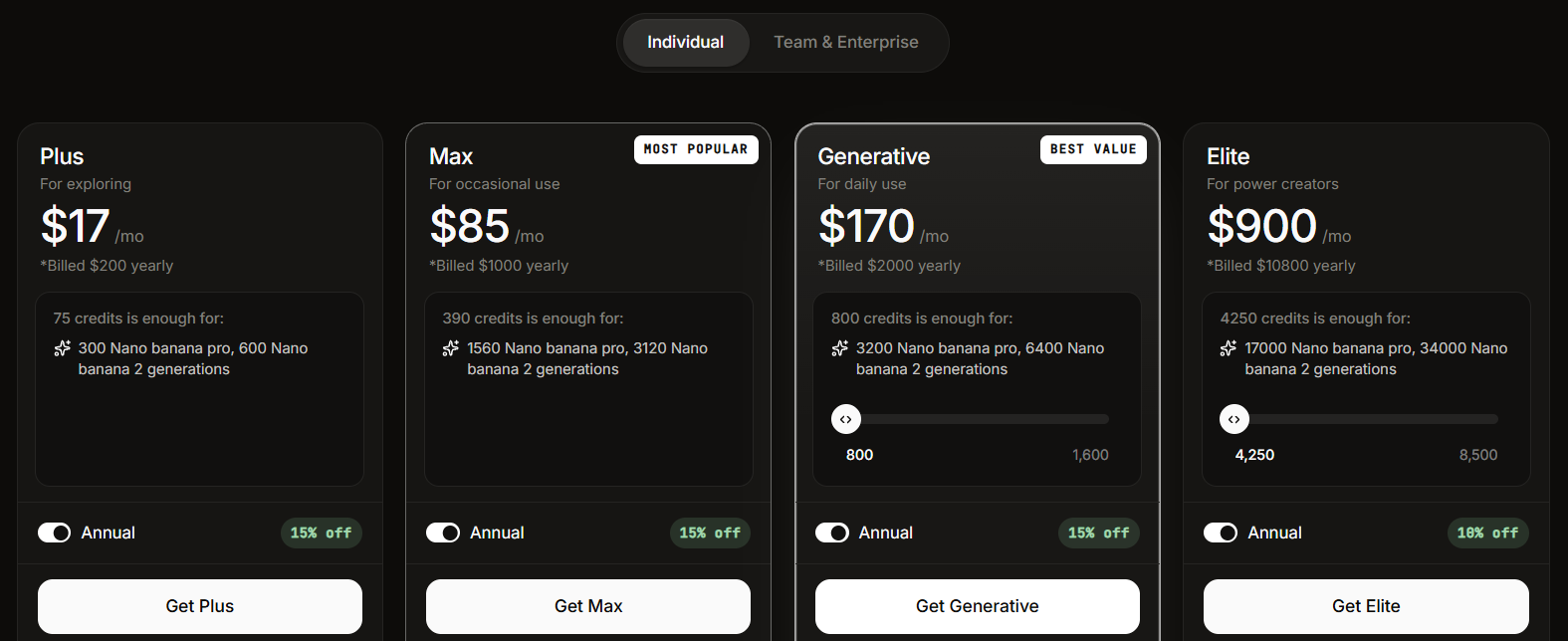
The next two plans let you choose the number of credits you want. For instance, the Generative plan starts with 800 credits per month at $170 per month and goes all the way up to 8,000 credits for $1,700 per month. Here, you can create 40 AI avatars and voice clones, along with 2 TB of storage and access to 1,000 iStock assets (800-credit plan).
Lastly, the Elite plan, meant for individuals with large AI generation and editing needs, starts at 4,250 credits per month for $900 per month and goes all the way up to 42,500 credits per month for $9,000 per month. Here, you can create 200 AI avatars, get 10 TB of storage, and access up to 5,000 iStock assets (4,250-credit plan).
For businesses, there are two plans: Team and Enterprise. The Team plan starts with 160 credits per seat per month at a cost of $40 per month, while you'll need to contact InVideo's sales team and book a demo to receive custom pricing for its Enterprise plan.
As is evident, InVideo is one of the more expensive AI generation and video editing tools out there. Even its Max plan ($85 per month) is significantly more expensive than the highest-tier plans of competitors like Veed, Kapwing, Fliki, and Filmora.
Moreover, InVideo also offers a free plan with limited credits, allowing you to test out the platform's capabilities. However, the free plan is fairly limited compared to competitors like Filmora and is best suited for testing the platform rather than using it on a full-fledged basis.
InVideo: Features
Although InVideo commands a high price, there's a good reason for it. You can generate AI videos and images with InVideo, just like any other AI generation tool. InVideo calls this its Autopilot feature. However, the problem with one-time generation is that the context gets lost after a few back-and-forth edits.
By the time you're on your fifth or sixth edit, your character may have changed entirely, and the scene is nothing like what you initially wanted. This is a problem common to almost all AI generation tools on the market.
This is where InVideo's all-powerful Agent One comes into the picture. Designed for filmmakers and high-end marketing professionals, Agent One is a full-fledged AI assistant that can not only generate images and videos for you, but also remember the context of your scene and create professional, cinematic short videos and even full-length short films (more on that later).
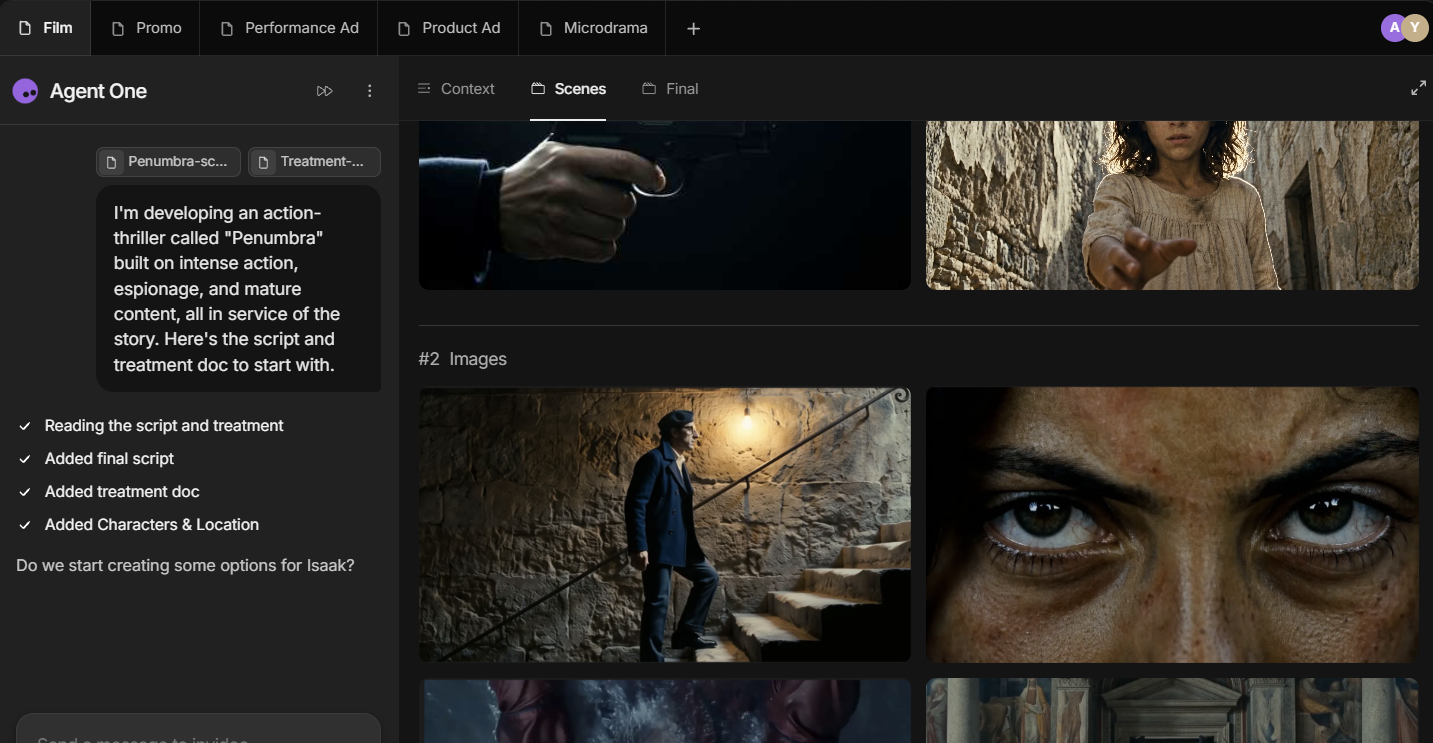
Additionally, InVideo has an extensive collection of workflows, which are templates you can choose from to get started on a new project.
These include explainer videos, animated videos, script-to-video, promos, advertisements, listicle videos, faceless explainers, educational videos, and more.
You can also create animated videos in different styles, such as Disney Pixar-style, claymation, Lego, anime, and more.
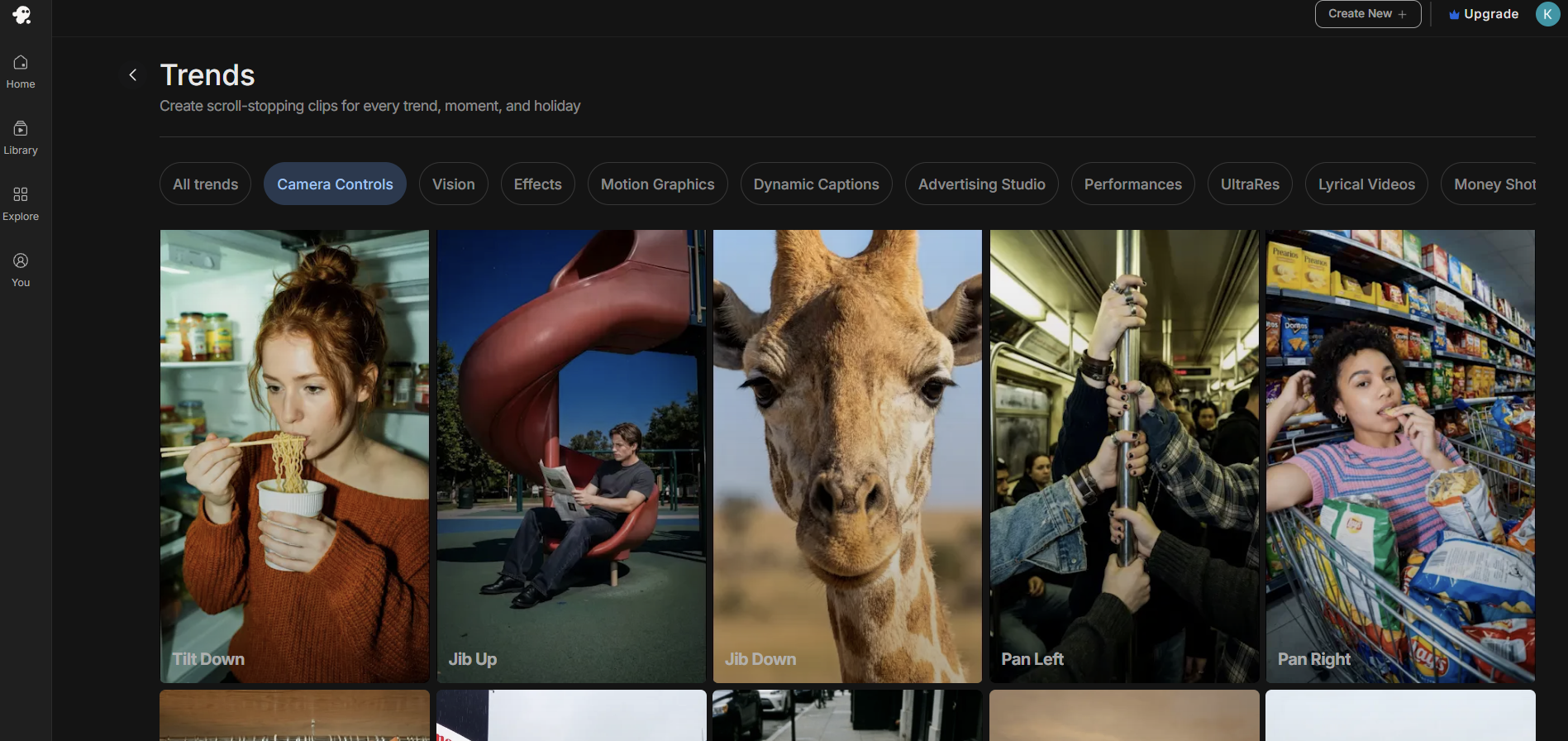
Plus, you'll find a new Trends feature in InVideo that keeps you updated on the latest trends in video creation. This includes camera controls, effects such as Split Self and Drip Flip, as well as motion graphics like Highlight Typography and Glass Motion Graphics. There's also a dedicated Advertising Studio that lets you create high-end professional ad videos for any product of your choice in different styles.
InVideo: Interface and in use
Despite its high-end, professional features, InVideo is surprisingly easy to use, making it beginner-friendly. Its Agent One is as easy to use as a conversational AI.
You first have to provide it with a treatment, which is nothing but your idea, vision, or script, including the context of the video you want to generate. This can include character descriptions, environments, buildings, and a beat-by-beat story timeline.
The heart of Agent One is its Context tab, where you can provide additional details about your project. You'll find various content options under this tab, including About This Project, where you'll add the context of your video, its script, and the ultimate goal.
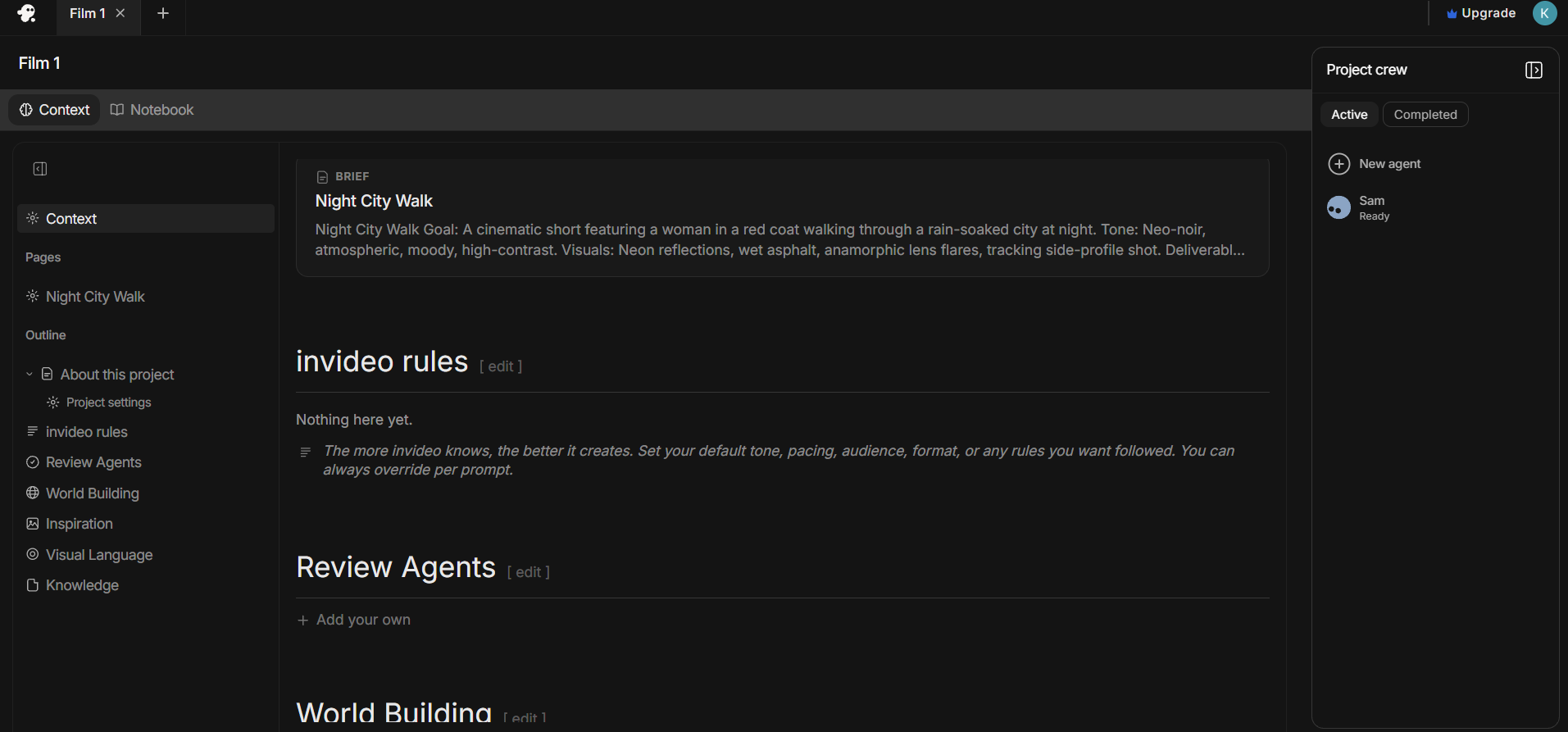
Then there's InVideo Rules, where you can enter standing instructions on the pacing or format of your video, along with the tone and specifications of the characters you want to use. There's also a dedicated World Building tab, where you can describe in detail the visual language, settings, and continuity you want to maintain throughout your video.
You can also upload images, references, research, briefs, and scripts in the Inspiration and Knowledge Bank tabs.
Unlike other AI generation platforms, which aim to keep your prompts as short and direct as possible, Agent One encourages you to be as detailed as possible. The more context and detail you provide, the better your output is likely to be.
Besides this, you can also select the layout of the video you want. InVideo gives you many more options than some of its competitors. For instance, you can choose between square, extra tall, portrait, landscape, and more. Plus, you also have a choice of output resolution, ranging from 1K to 4K.
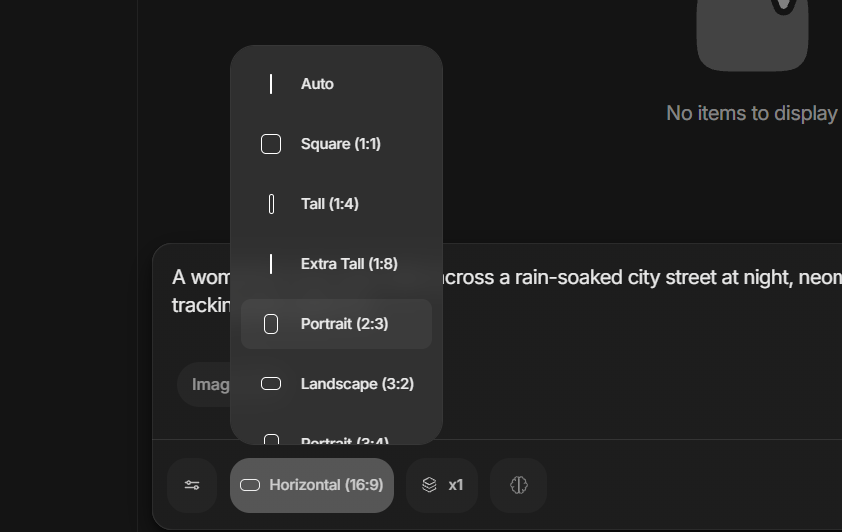
Overall, the experience is similar to that of a director sitting in a chair talking to a creative team. The only difference is that everything is packed into a single AI agent.
InVideo: How we tested
We reviewed the breadth of InVideo's capabilities. In particular, we tested its Autopilot feature, which lets you create videos with a single prompt. We gave it the same prompt that we used while testing the other AI video editing software:
"A woman in a red coat walks across a rain-soaked city street at night, neon signs reflecting in the puddles, camera slowly tracking alongside her."
One thing to note is that before generating a video, InVideo gives you a lot of options to customize your output. This includes selecting the duration of the video as well as the platform you're generating it for, such as Instagram Reels, YouTube, or TikTok.
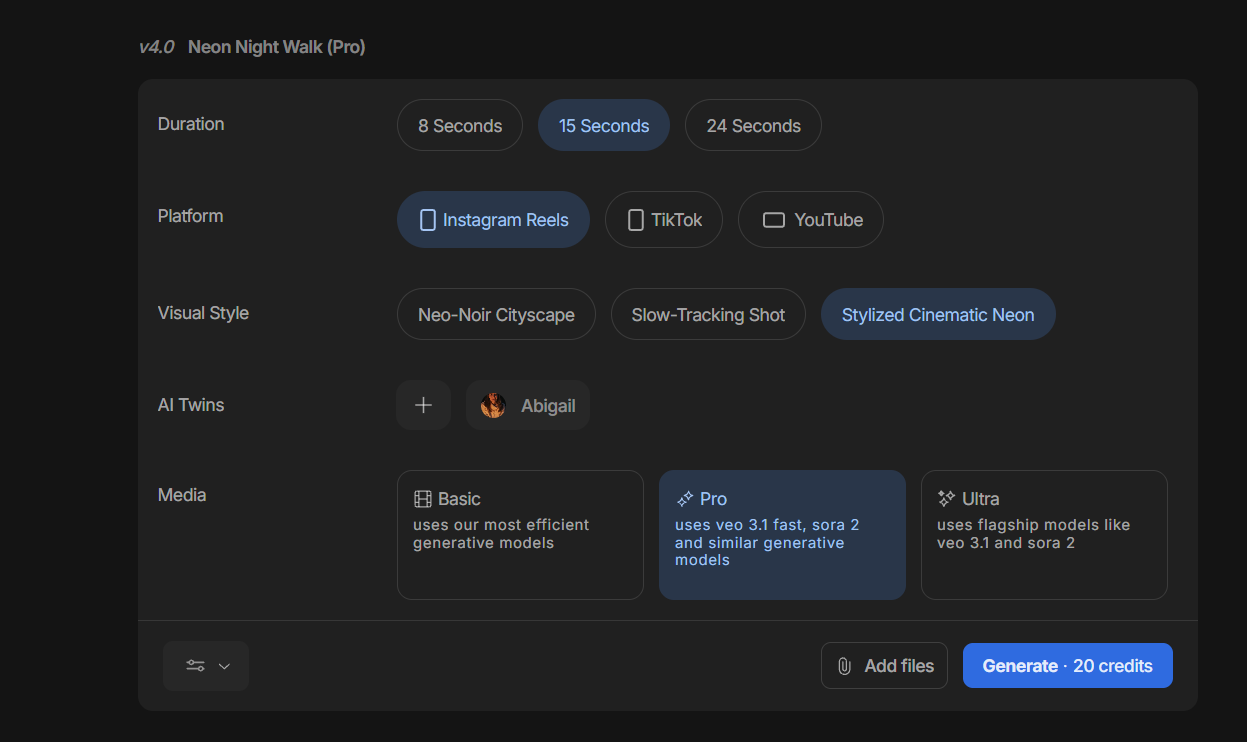
There's also a hidden Additional Options button in the bottom-left corner, where you can customize settings such as visual styles. You also get an option to choose an AI character from InVideo's free AI actors.
When we had everything in order, we hit the Generate button.
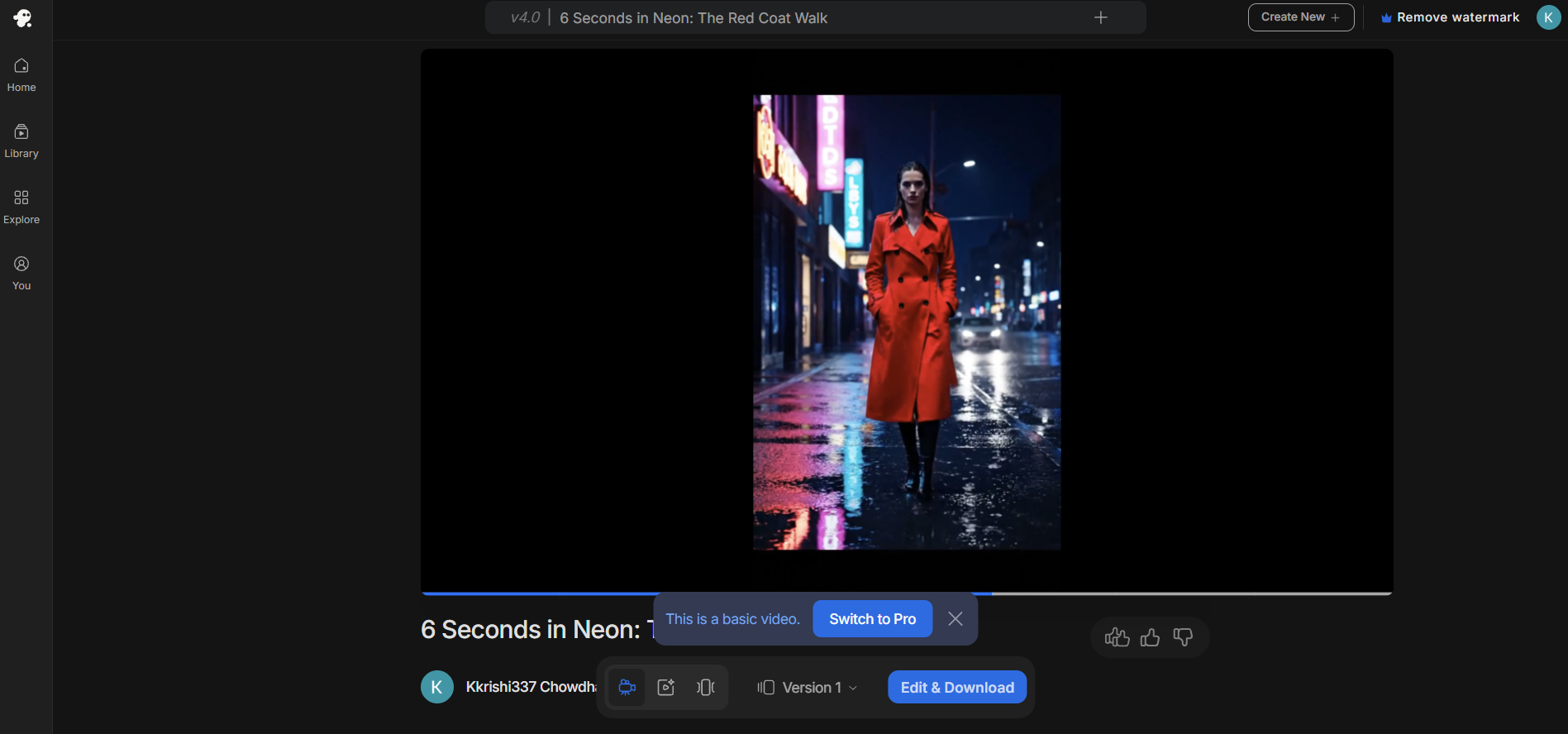
Now, InVideo takes arguably the longest time to process a project and generate an output, noticeably longer than the likes of CapCut or Veed. However, the outputs are worth the wait. InVideo created a pretty realistic-looking Instagram Reel of a woman walking on a rain-soaked street.
Besides this, we also tried using InVideo's Agent One, giving it the same prompt. Although it did create various character options for us in different styles, we couldn't proceed further because it required more credits than the free plan offered.
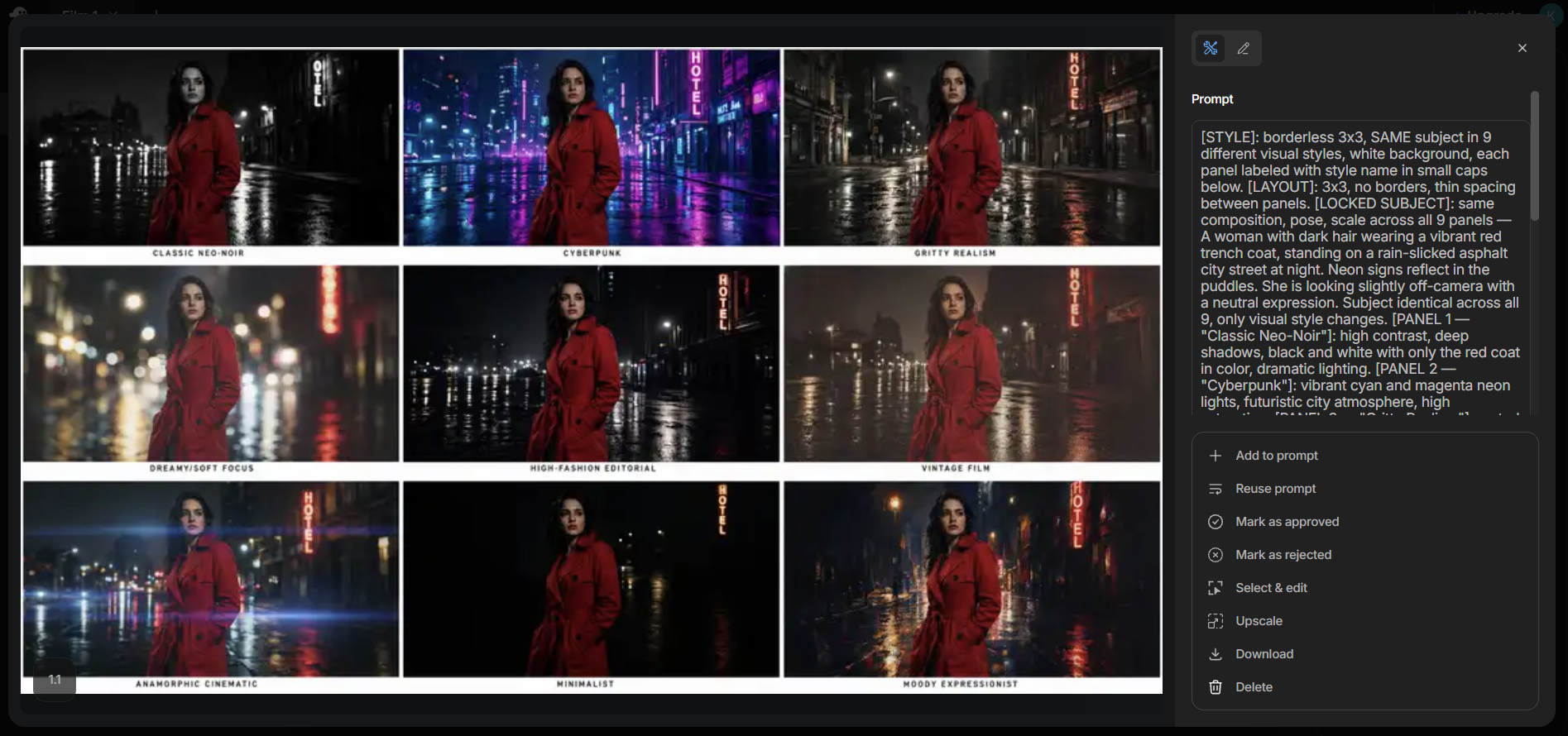
However, Agent One's conversational-style editing makes it pretty simple to use. You just have to write down what you're thinking, and Agent One processes your thoughts into a clean script, building each scene bit by bit.
InVideo: Alternatives
InVideo is designed for professional filmmakers or large enterprises that need to create realistic, professional AI videos. If you're looking for a simple video editing software simpler, you could opt for a tool like Veed, which is one of the most complete AI content generation and editing platforms.
With Veed, you also get access to various AI models such as Seedance, PixVerse, and Veo 3.1, which can generate text-to-video, image-to-video, as well as more than 60 diverse AI avatars.
Veed also has one of the best subtitle offerings on the market, keeping up with the latest social media trends. That said, its free plan is a bit limited in what you can do, which is why you'll likely have to upgrade to one of its paid plans, starting at $12 per user per month.
If you're looking for something more affordable, you can go with Filmora. It starts at just $4.17 per month, and even its highest-tier plan costs only $8.33 per month. Filmora is also a professional-level video editing platform that has recently integrated a wide range of AI features into its repertoire.
You get access to more than 2.9 million creative assets, including filters, transitions, effects, music, and stock media. It has also introduced advanced AI features such as AI Audio and Video Extender, which can extend short audio clips and videos for smoother transitions.
There's also Animated Charts and Lens Correction, which come in handy while editing action camera or wide-angle footage. Plus, you get more than 10,000 ready-made templates and over 500 AI-powered effects.
However, Filmora is one of the more difficult tools to use and comes with a bit of a learning curve. Once you get the hang of it, though, it is one of the best tools available for AI-powered video generation and editing.
InVideo: Final verdict
InVideo is a professional-level AI generation and video editing tool designed for filmmakers, advertisers, and professionals working in the creative industry. It offers access to more than 200 AI models, including Veo 3.1 and Nano Banana Pro.
InVideo comes with the powerful Agent One, a conversational AI that not only generates AI videos and images for you, but also works back and forth with you to create highly realistic, cinematic short videos.
Moreover, Agent One is surprisingly easy to use, almost as easy as conversing with a creative director and giving instructions. The best part is that you're not stuck engineering prompts to get the best output. Instead, you can focus on the creative aspects of your project while Agent One handles the rest.
That said, InVideo is one of the most expensive tools out there, with plans starting at $17 per month. If you're looking for something more basic or affordable, you can consider alternatives like Veed, Adobe Firefly, or Filmora.
We've tested a range of video makers and editors, including the best video editing software, the best video editing apps and the best free video editing software.


Comments
Post a Comment