I tested Hostinger Horizons - read what I thought of this commendable no-code app development platform for creating feature-rich web apps
Hostinger is a pretty well-known name in the web hosting industry, and it has ventured into the no-code space. Hostinger’s no-code platform, Horizons, taps into the demand for web app builders, and uses AI extensively to allow anyone to spin up web apps without writing a single line of code.
In this review, we’ll examine its features, interface, ease of use, target use cases, and how it stands against competitors in the booming no-code space. We’ll also run a test prompt to create a straightforward web app, and judge its performance by how the app responds, as well as the time taken to generate it.
You can also take a look at our run-down of the best no-code platforms.
Hostinger Horizons: Features
Horizons operates through a simple AI chat interface. You just describe your app idea using natural language, and the platform’s AI will translate it into a working web app. Very helpfully, Horizons supports over 80 languages, which allows non-English users to build apps using the platform’s AI.
In addition to written prompts, you can converse with the platform using voice prompts, helping make Horizons more accessible. You can also upload user interface sketches and designs to the AI to ensure it understands your requirements.
Like most platforms, Hostinger allows you to publish your apps on a custom domain as well. In fact, Horizons also takes advantage of Hostinger’s infrastructure to offer web hosting, domain services, professional email, and other tools. This helps Horizons pitch itself as an all-in-one solution, which you don’t get with most other no-code platforms.
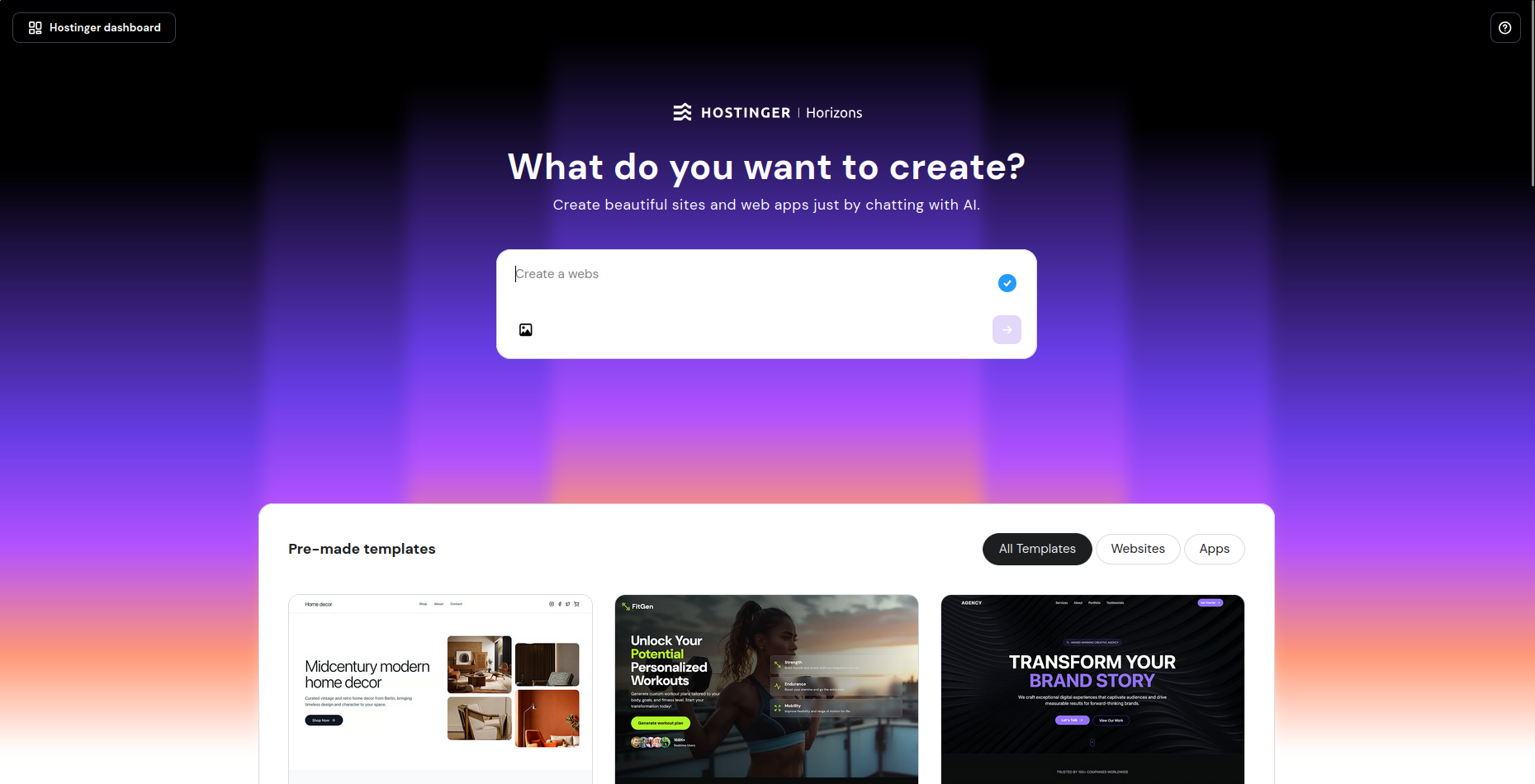
While credits are required for AI generation, standard questions about the project you’re building are not charged. You can also edit text and images in the project without using AI credits, and if no-code is just something you’re using to save time but you have development skills, you can switch to the code and make manual revisions and tweaks in the visual editor.
Web apps created with Hostinger Horizons are responsive and mobile-friendly, which means they’ll work and look good on desktops, as well as on smartphones. That said, remember that web apps created with the platform can’t be published as native mobile apps on the Google Play Store, or the Apple App Store.
Hostinger Horizons: Interface and ease of use
Horizons has a straightforward interface, with an AI text box in the middle of the screen. Simply enter your prompt, or select from one of the listed example prompts.
It will analyze the prompt, break it down into tasks and tell you how it plans to approach the build before it spins it up. When it’s done, it will also show you a preview of what it will build. You can then make modifications, or just ask it to build the app as per the preview.
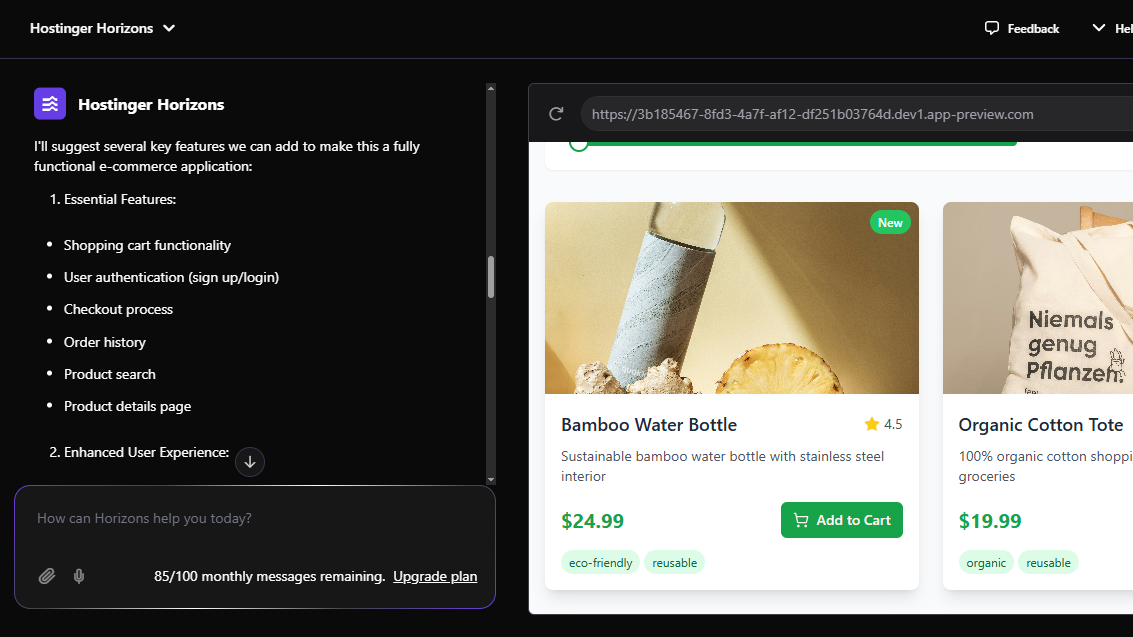
Horizons will helpfully suggest ideas to help extend the app. For instance, when I asked it to create an ecommerce web app, it suggested I improve it by connecting it to a database for real product data storage, add a shopping cart, and checkout functionality, implement user authentication, and more.
And you can roll out these features simply by asking the AI.
Whenever you use the AI to add new functionality, Horizons will also tell you how to test it. Some processes like adding social logins require some running around, but the platform does its best to guide you through the process with clear step-by-step instructions.
Hostinger Horizons: Integration and Extensibility
Horizons builds web apps in Node.js, and creates the necessary HTML, CSS, and JSS files.
You can use Horizons to fuse your app with third-party tools, for things like emails, payments, and user authentication. These integrations require varying levels of configuration beyond the Horizons tool itself, but these external features have improved considerably since the platform launched, and where necessary, Horizons does its best to lay out the steps for you.
Hostinger Horizons initially offered Supabase cloud-based database support, but this is no longer required. Instead, the platform stores data in the Horizons integrated backend.
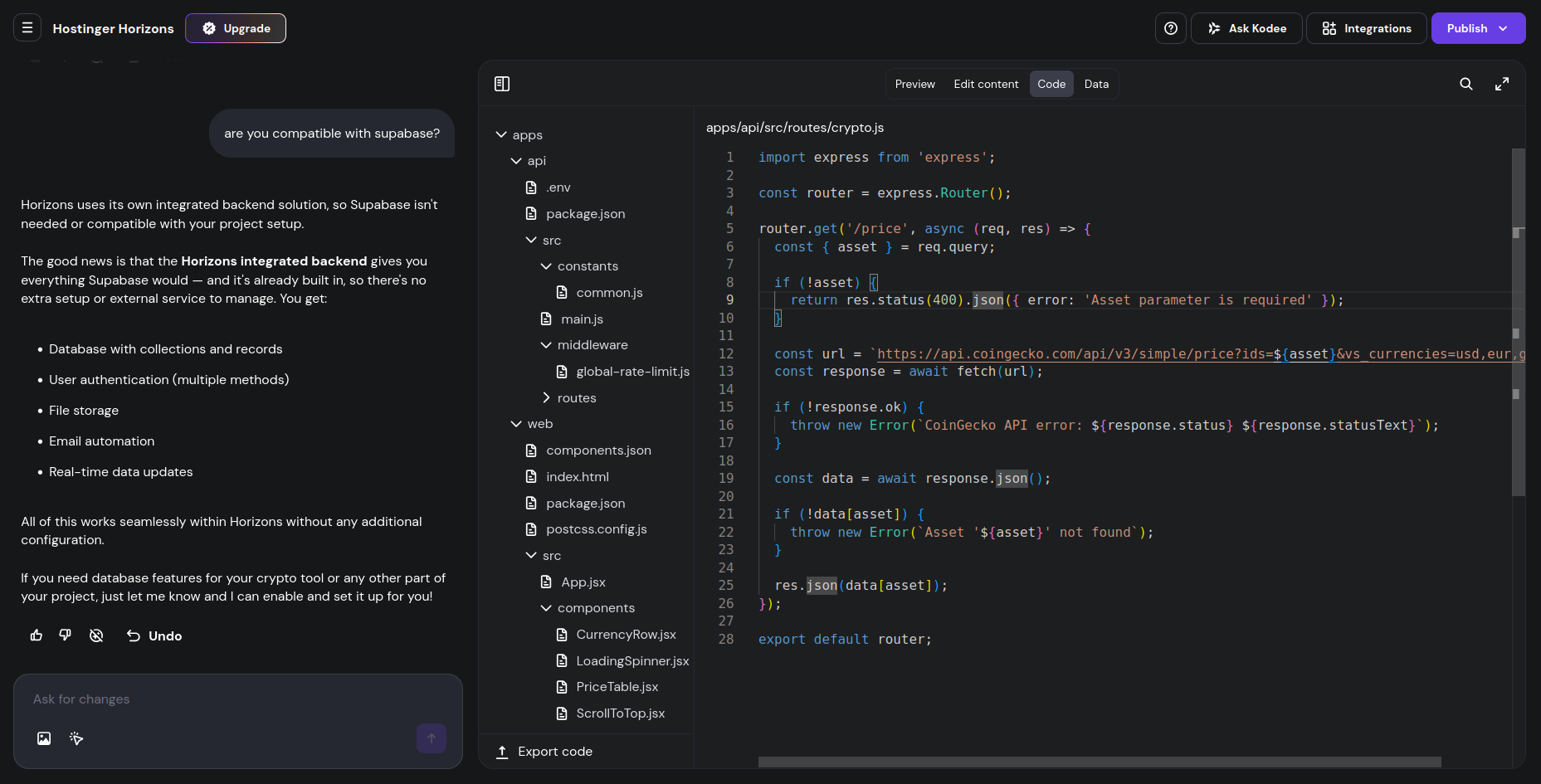
You can also add a payment gateway, for instance, with Stripe or Razorpay. PayPal isn’t currently supported, but Horizons says you’ll be able to integrate any backend services to your app built on the platform, as long as the service has an API, and you provide the integration information Horizons asks for. For example, you can integrate authentication via Google OAuth.
That said, adding certain backend functionality might be easier than others, for the time being, as the platform is still under active development.
Hostinger Horizons: Deployment and maintenance
After your prompt is entered and the web app is ready, you need to deploy it to make it live. As with other no-code platforms, Horizons will publish the app with a random URL. By default, this will be to a Hostinger subdomain.
But, as usual, you can publish the app to your own custom domain as well. Also, you can unpublish your web app, and come back to it to tune it further, and republish it.
If you’d like to look at the code for your web app, you can use the Export function on the platform to download it. This will roll all the HTML, CSS, and other files into a zip file ready to download to your computer.
You can also ask the Horizons AI to help you add your web app to your existing website. It’ll recommend adding the app as an embedded component, but will also offer the option to include the app as an iFrame. As usual, it’ll generate the necessary code for both approaches, along with instructions on how to go about both procedures.
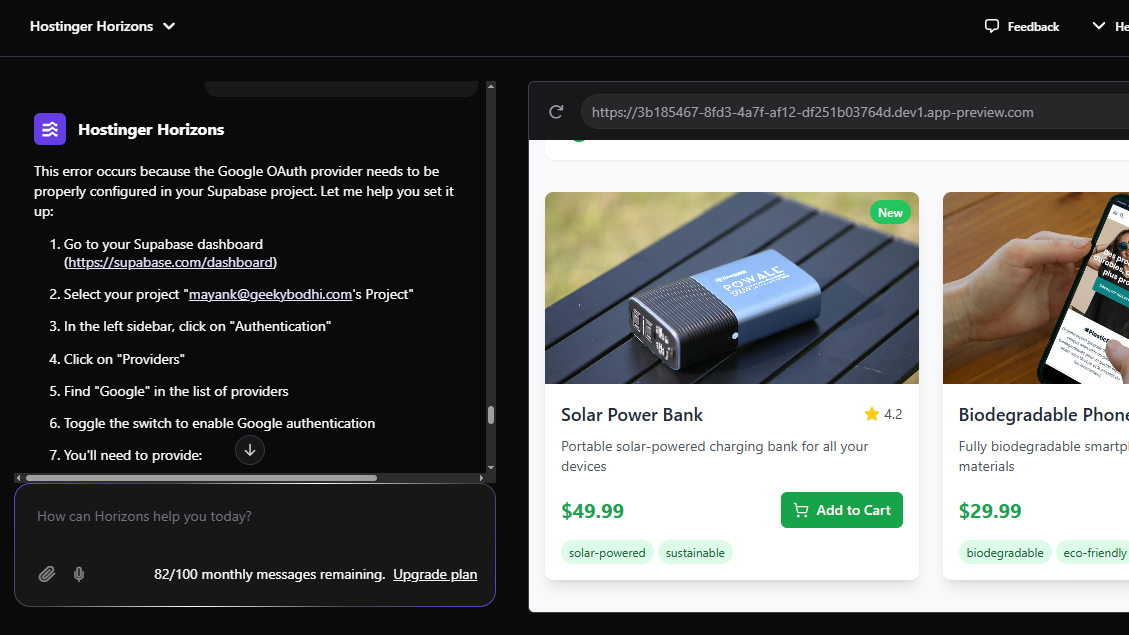
Horizons also has a version control system, and you can undo a change, or revert to a previous version with a single click. Just like with Lovable, you can use the Horizons AI to help fix any errors.
However, Horizons can’t export your code to code sharing websites like GitHub, which is something you can do with alternatives such as Lovable. Also, while you can edit the code offline, there is no way to import it back to Horizons, and continue refining it with its AI.
If it encounters an error while building the app, the platform will usually give you the Ask to fix button. When pressed, the platform will analyze the error, and try to mend it on its own. You can also copy or describe the error to the AI, and ask it to help you solve it.
Hostinger Horizons: Creating a Crypto Price Comparison App
To understand how Hostinger Horizons can efficiently create a web app with no coding required, I’ve created a specific test prompt.
Using a single prompt that has also been tested on other no-code platforms, I requested the creation of a cryptocurrency price comparison tool. The aim of this is to display the current price of popular cryptocurrencies in USD, GBP, and EUR, when a specific budget is entered, pulling the data from a free API service. A default figure of $1000 should be displayed, and the tool should have a dark mode toggle and a refresh button.
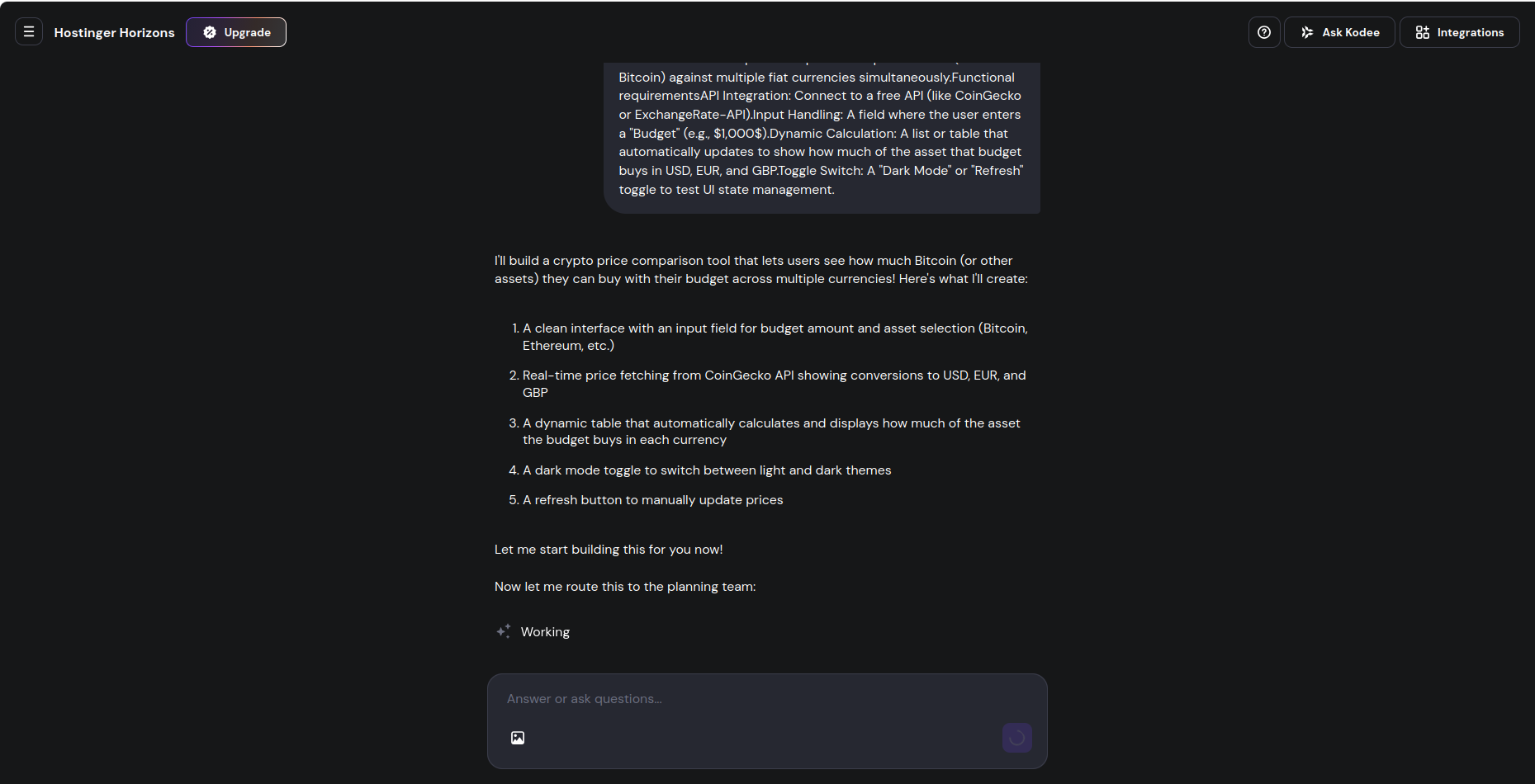
The prompt is as follows:
Build a tool that compares the price of a specific asset (like Bitcoin) against multiple fiat currencies simultaneously.
Functional requirements
API Integration: Connect to a free API (like CoinGecko or ExchangeRate-API).
Input Handling: A field where the user enters a "Budget" (e.g., $1,000$).
Dynamic Calculation: A list or table that automatically updates to show how much of the asset that budget buys in USD, EUR, and GBP.
Toggle Switch: A "Dark Mode" or "Refresh" toggle to test UI state management.
--
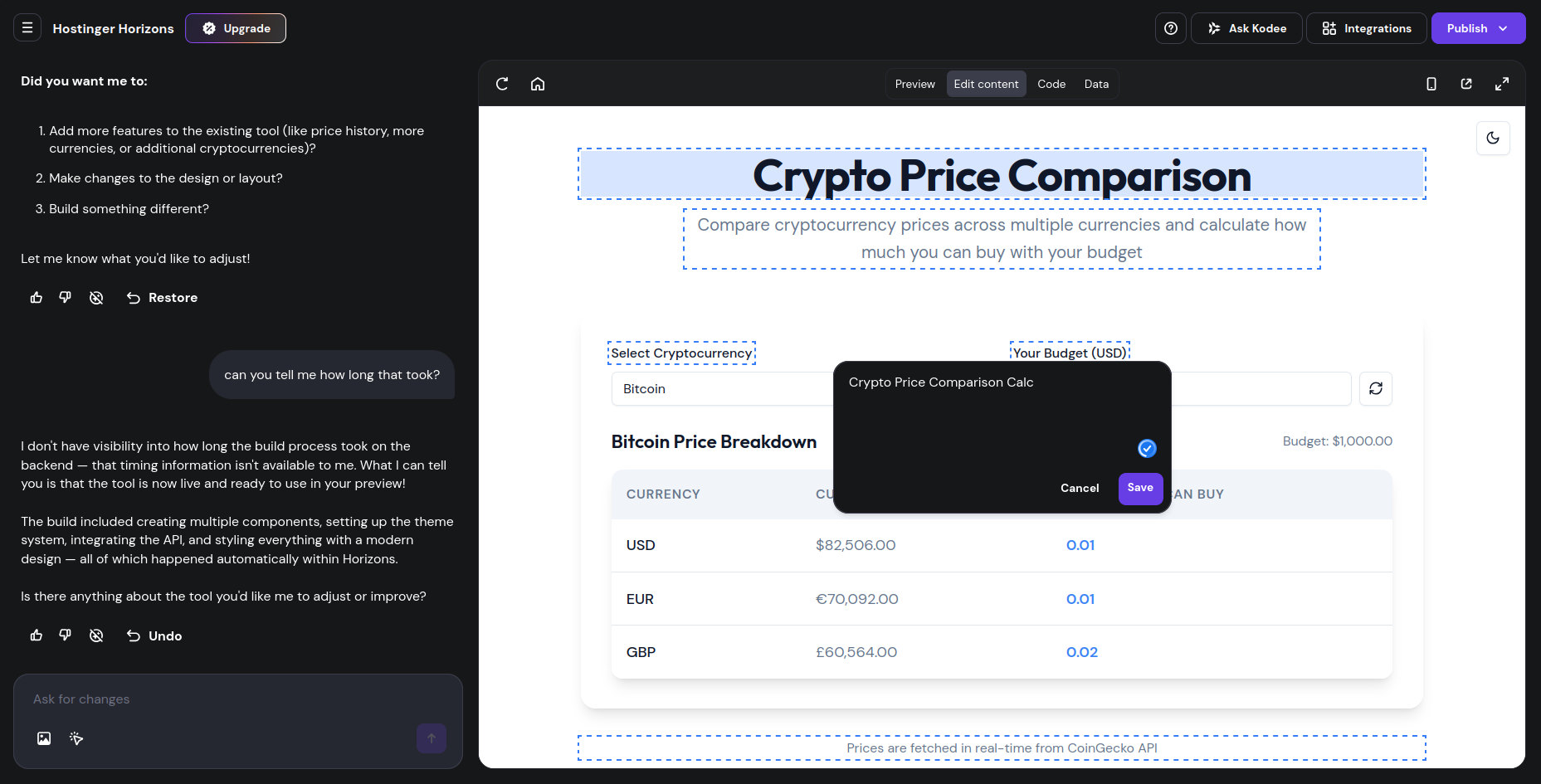
Running this in Hostinger Horizons demonstrated a few interesting points. First, the process was pretty quick, and generated within 5 minutes. However, the initial attempt crashed, so I retried and this completed within around 10 seconds (presumably just re-running the code, rather than regenerating). Testing the web app, I found it responded well, and delivered the correct information.
Using a task management tool (top on Ubuntu), I kept an eye on the process for my browser (Firefox) and saw that following the running of the prompt, the Resident memory (“res”) used by the process increased by around 300MB. This is within acceptable limits, and does not indicate that the AI used local processing – rather, that the code of the web app is being displayed (local processing would typically show an increase of 2GB or more).
The generated web app can be edited by clicking into the fields. Where a dotted border is applied, the field can be edited, with changes made and confirmed with a click of the OK button. You won’t see the revisions “live” however – instead, the preview needs to be refreshed. If you’re happy with the changes, the web app should be republished to see the revised live page.
Finally, Hostinger Horizons’ integration with the Hostinger hosting platform means that deployment is easy. I simply clicked the Publish button, and selected a domain to point it to. Instant publishing to existing hosting with Horizons is a major advantage over rival no-code tools.
Hostinger Horizons: Pricing and documentation
Hostinger Horizons was rolled out to a limited audience in February 2025, before its general availability on March 4, 2025.
Since then, all existing users with a Hostinger hosting subscription can use Horizons for free with a limit of five messages/day. This is enough to develop an idea over the course of few days, but if you need more in-depth no-code development, you will need a separate Horizons subscription in addition to the hosting plan (for deployment).
To get started, the Explorer plan is just $9.99 a month and offers 30 AI prompts/month. Next up is the Starter plan at $19.99/month, which comes with 70 AI prompts/month. Then there’s the $55.99/month Hobbyist plan with 200 messages, and the $99.99/month Hustler plan with 400 messages.
The number of messages has been reduced in each plan since launch, but on the positive side Hostinger regularly discounts these plans. If you need more AI messages, top-ups are available. These range from $4.99 for 10 AI credits to $499 for 1000, and again, these are often discounted.
You can publish 50 web apps with all the paid plans, and they all also include one month of free hosting, unlimited bandwidth, and 50 mailboxes with 1GB of storage each.
In terms of documentation, Horizons has several official guides that’ll handhold you from building your first app, to integrating it with other services such as Google AdSense. Besides illustrated text tutorials, Hostinger also has a bunch of instructional videos on YouTube. You also get 24/7 customer support with all the paid plans.
Hostinger Horizons: The competition
Hostinger Horizons is the newest entrant in the no-code web app builder market, and faces stiff competition from several well-established platforms.
For starters, there’s Bubble. While Horizons uses AI to generate web apps based on natural language descriptions, Bubble requires users to manually design and configure their apps. Although Bubble has a steeper learning curve than Horizons, it provides more flexibility for building custom web applications.
Then there’s Adalo, which can build both web, and mobile apps. It has a drag-and-drop UI, as well as a plethora of pre-built components to help you put together your apps. While Adalo does offer some AI capabilities, its strength is its mobile app-building capabilities.
Horizons closest competition is with Lovable. Both platforms make extensive use of AI to create, edit, and debug web apps. However, Horizons is still very new to the markets, and doesn’t yet offer all the features you get with Lovable, such as the two-way sync with a GitHub repo.
But in Hostinger Horizons’ favor, it offers an integration with hosting that none of the competitors can deliver. It also stands out against other hosting companies, where the aim of no-code is purely to create a website template for a familiar backend like WordPress. Hostinger already offers this as an option, but Horizons puts it on par with Bubble, Lovable, and others.
Hostinger Horizons: Final verdict
Horizons’ use of AI to cover all aspects of app development, from creation, to editing, makes the platform truly democratic for everyone, including those with no coding experience. Our testing found that Horizons was fast, completed the job fully remotely using Hostinger’s cloud AI servers, and produced a web app that perfectly delivered the desired crypto pricing tool.
The platform’s support for multilingual and audio prompts makes it a good option for non-English developers or those with accessibility needs. Also, unlike other platforms it takes advantage of Hostinger’s infrastructure to offer an all-in-one solution to create and deploy your web apps.
Even though Horizons is relatively new, we would definitely suggest all existing Hostinger users to take Horizons for a spin. The platform is evolving rapidly, but since it doesn’t offer a free tier, it might be a good idea to give it some time to refine itself before you jump in to sign up.


Comments
Post a Comment