Corsair Makr Pro 75 review: close to being damn near perfect
Corsair Makr Pro 75 one-minute review
It's difficult to ignore just how big of an impact the custom keyboard community has had on mainstreaming gaming options in the last decade or so.
Jump back in time three, four, or even five years, and the very idea of the Makr Pro 75 would've been inconceivable, certainly in Corsair's product arsenal. Eight layers of sound-dampening, gasket plates, magnetic hot-swappable hall effect switches, the spec sheet is rich and detailed, and would make 21-year-old me, with his first-ever mechanical Cherry MX Red, weep if he saw it 14 years ago.
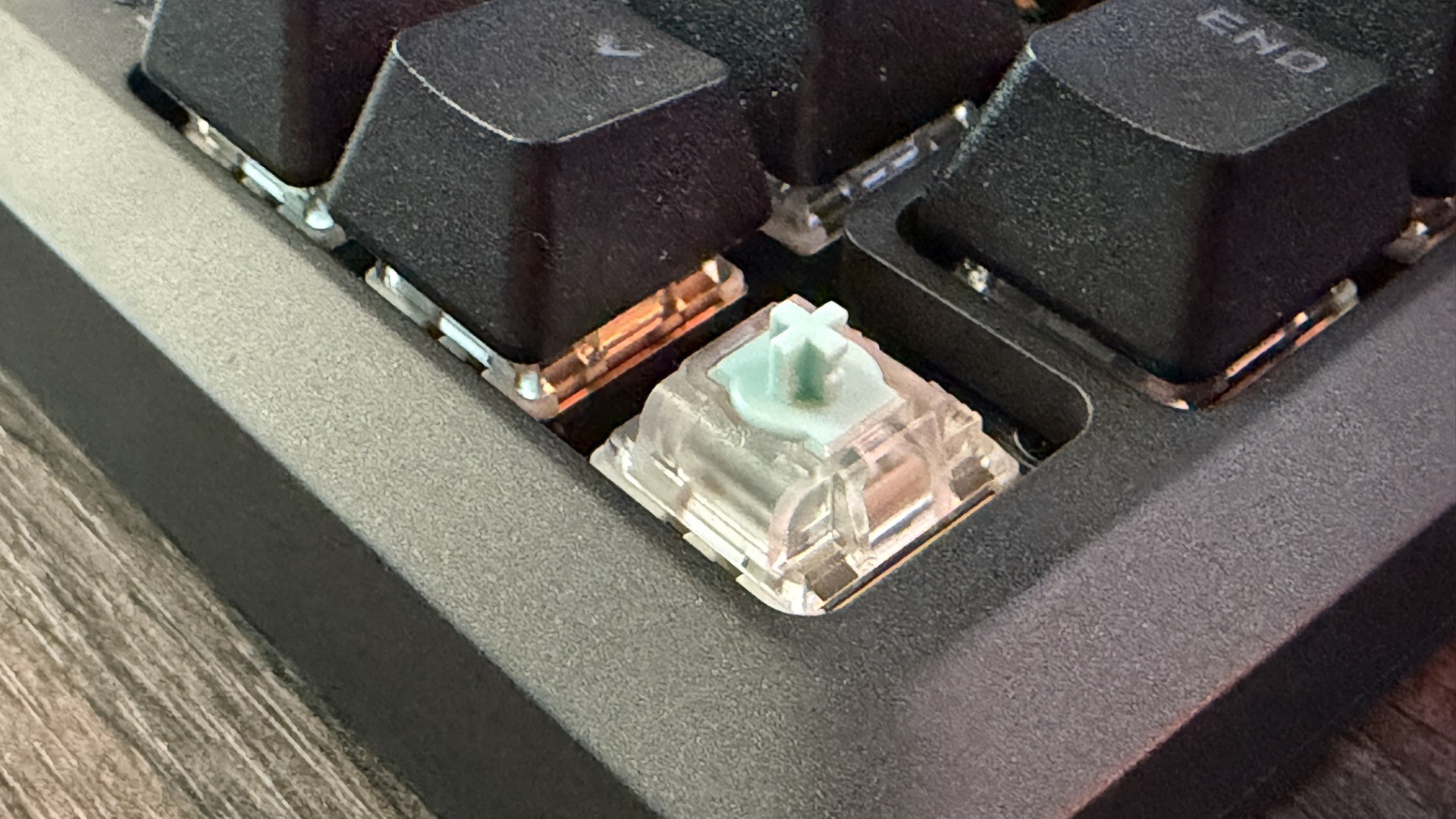
Just take a look at the switches, they're linear magnetic hall effect, MGX Hyperdrive models (a mouthful, I know). Aside from being hot-swappable, they're pre-lubed, dual-rail designs with a shine-through PBT keycap that actuate at a fully custom-calibrated actuation point of your choosing. If you want to bottom the thing all the way out, you can; if you want it to actuate the instant your finger barely touches the top, it'll do that too.
The build is just on another level, and it shows. What's less enticing, however, is the price. At £220 UK or $250 US at time of writing, it's a serious chunk of cash to lay out, and although the quality is there, there's a good argument to be had as to just whether that's worth it compared to competitor solutions at nearly half the cost.
If you're after a small form factor, 75% keyboard that's more than capable of handling gaming and typing, one of the best gaming keyboards money can buy, while delivering a class that straddles the line between a custom build and an off-the-shelf model, without the faff of getting out the soldering iron, the Makr Pro 75 is well worth considering.
Corsair Makr Pro 75 review: Price & release date
- Almost DIY price, but, y'know, it's built
- Available in the UK, US, and Australia
- Hard to find a prebuilt solution quite like this
Now here's the kicker: Corsair's Makr series is a bit of a three-headed hydra in terms of product stack. It's all built around that custom aftermarket DIY keyboard ethos. You've got the standard Makr 75, where you can customise exactly what parts you want, and Corsair will ship you the bundle to construct yourself. You can have that same bespoke model, but pre-assembled, or grab this more "off-the-shelf"-esque Makr Pro instead.
The latter has colourways, switch-types, backplates, and LCD/Wireless modules, and keycaps, to add at your leisure along the way. The Makr Pro, however, is a single model and a single model only. There's no alternative colours, no keycap variations (bar regional layouts), and well, that's it. That does come with some wins, though, firstly it's the only board that supports hot-swappable magnetic switches (and comes with those MGX options by default), and secondly, it's quite a bit cheaper.
The equivalent Makr line built to spec using minimal components will set you back $265 on Corsair's website, versus the Pro's $250.
Corsair Makr Pro 75 review: Specs
Price | $249.99 / £219.99 / AU$523 |
Layout | 75% (UK ISO as tested) |
Switch | Corsair MGX Hyperdrive hall-effect (magnetic) |
Switch specs | Adjustable 0.1–4.0actuation; Rapid Trigger; hot-swappable |
Keycaps | double-shot PBT, shine-through |
Dimensions | 330 × 142 × 47mm (13 × 5.59 × 1.85") |
Connectivity | Wired USB-C; optional 2.4GHz / Bluetooth module (sold separately) |
Polling rate | Up to 8,000Hz wired |
Rollover / anti-ghosting | Full-key rollover (NKRO) |
Weight | 1.282kg (2.83lb) |
Corsair Makr Pro 75 review: Design
- Outstanding build quality and exceptional sound deadening
- No full-size variant
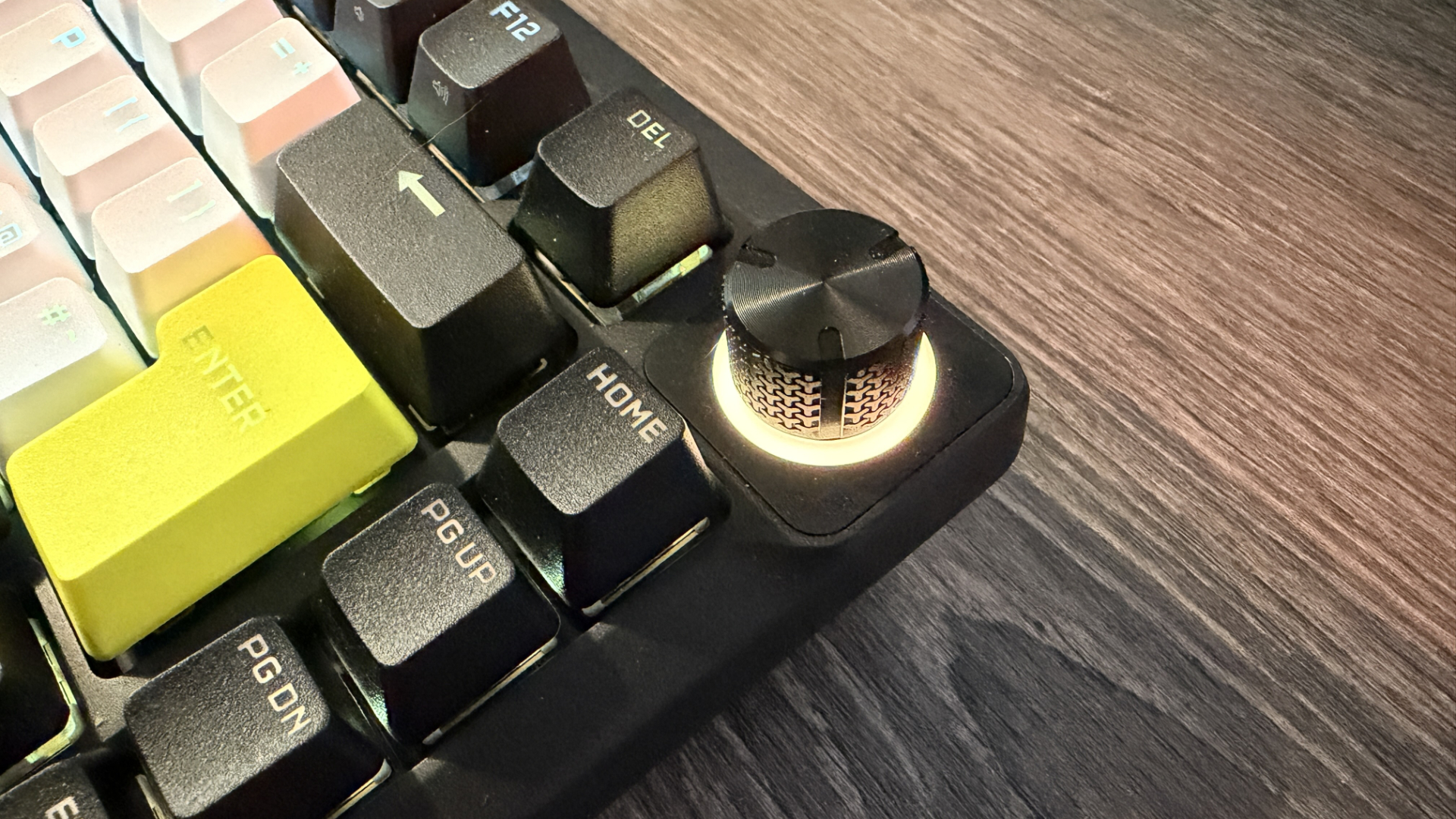
- Rotary dial looks awesome, and a welcome addition
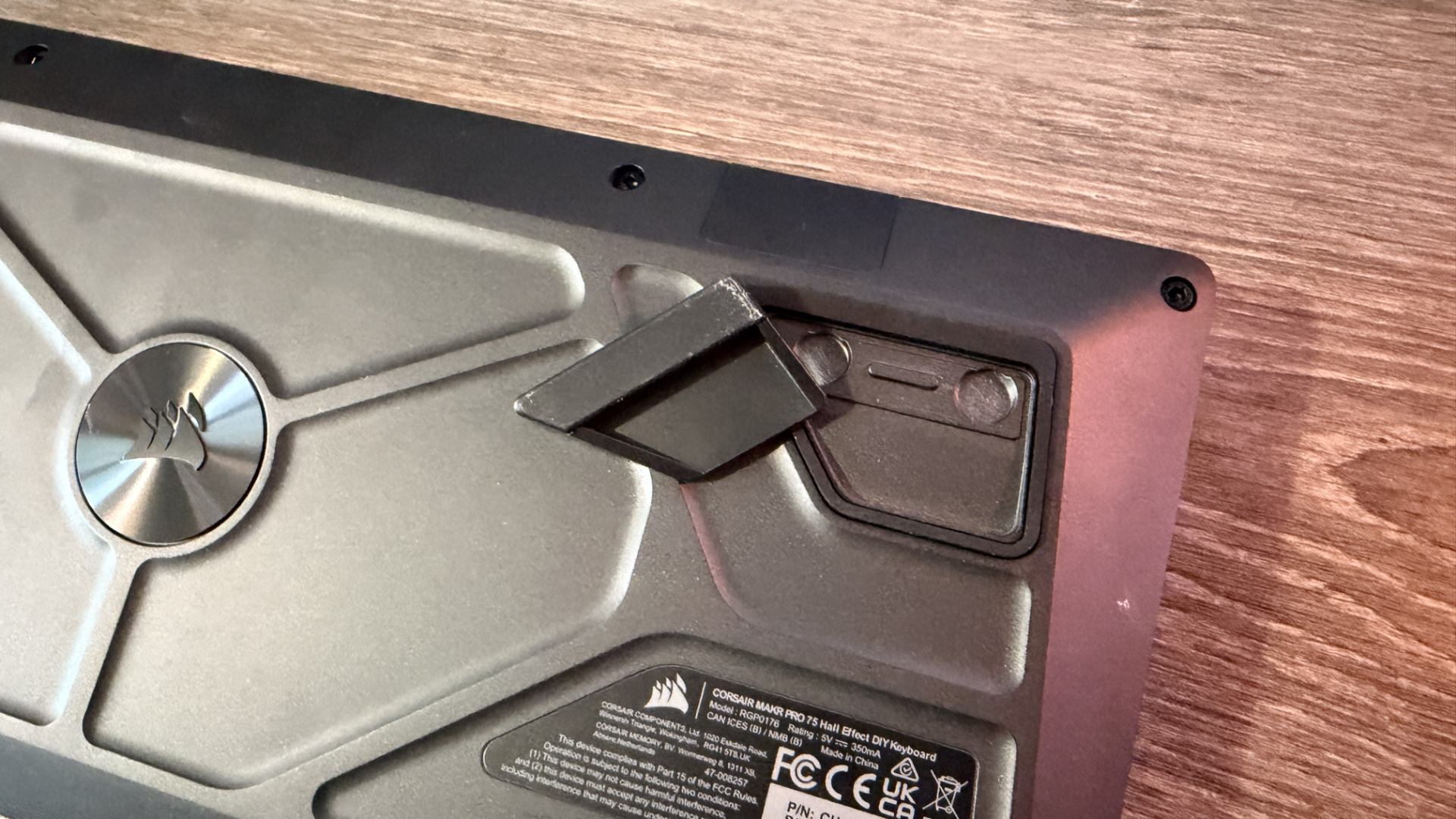
This is, without a doubt, the heaviest board I've ever had in for review. It weighs a staggering 1.282 KG (or 2.83 lbs), and honestly, it feels like you could club someone to death with it, it's that ridiculous. It's got a fully built custom aluminum housing, and inside of that live eight layers of sound dampening.
Let me take a breath because the list is long. You've got… silicon rubber padding, pad foam PET backing, PU pad foam, socket foam, PET film, IXPE switch foam, transparent PET backing, and PU plate foam, all situated around that hall effect compatible PCB, which is further secured in place, with both a gasket mount solution for the switches, and stabilisation with an FR4 switch plate for even more rigidity. Like, seriously, guys… It's just not good enough. I expect 14 layers on the next one (that's a joke).
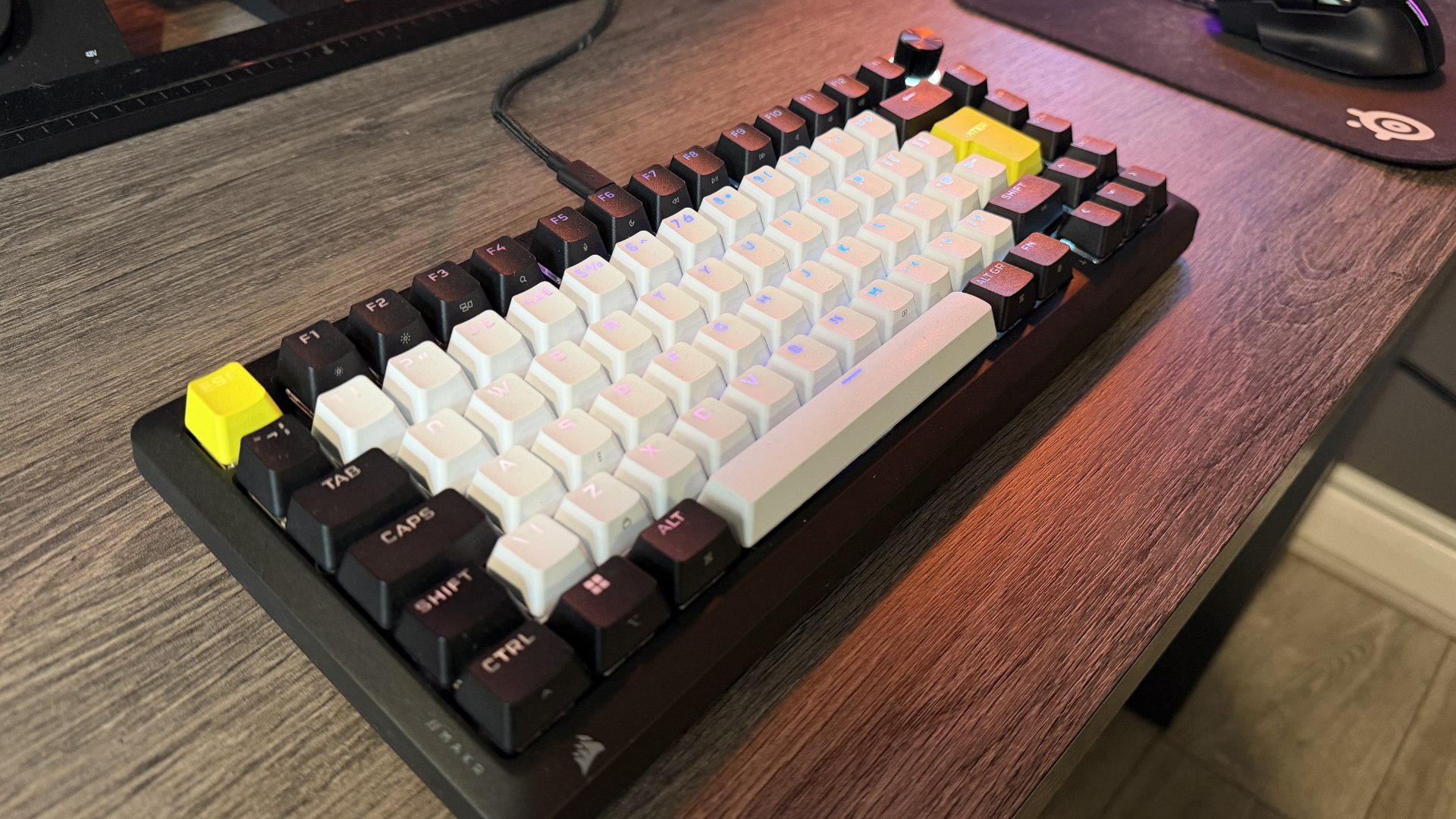
I mention that hall effect PCB because it's an important detail here. Although you can swap out the keys, it's only compatible with magnetic switches that can take advantage of the hall effect sensors.
If you've got a slew of old Gateron switches that you just love, you're going to have to grab the Makr 75 instead of this slightly cheaper model (frustrating I know). Albeit that is a niche in a niche.
There's some other customisation options you can add in here, too, if you're looking to bump the price higher. You can get a wireless module to ditch the cables (effectively strapping a 50-hour battery life to the thing with no RGB enabled, although it is worth noting that's a fraction of the time you get compared to the standard mechanical switch variant at 172 hours). And, you can chuck out the lovely rotary dial for a teeny tiny LCD display, for some reason.
One thing I will say. After spending some time with the latest Corsair Galleon 100 SD, the build here is just outstanding by comparison (which is bizarre given it comes from the same company, and the Galleon costs significantly more).
The only downside? No, full-size variant. And I know I know, the ergonomics are better, and proper gamers only use 75% boards. But I'm an old man now, I game just as much as I mash in my credit card details to buy yet another air fryer.
Corsair Makr Pro 75 review: Performance
- Key switches are gorgeous, Hall effect are stunning for typists and gamers alike
- The argument about dampening feels subjective
- iCUE vs Web Hub is a confusing mess
Can we talk about iCUE quickly, because it seriously frustrates me? Now, this is less of an issue with the Makr Pro directly as it's compatible with both iCUE and Corsair's new Web Hub, thing, but, right now, we're in this weird world where we have not one, but three different programs to manage your Corsair umbrella hardware, with a transition over to Web Hub for the newer products.
What's Web Hub? Glad you asked. Effectively, a lightweight replacement for iCUE, built out of a webpage connecting directly to your Corsair hardware, and fully installable as a PWA app on your desktop.
What's the problem then? Not everything supports it, that Galleon 100 SD I mentioned earlier fails to show on iCUE entirely and is only picked up on Web Hub (and the Elgato Stream Deck app…). That's particularly annoying because if you're running Firefox, Web Hub simply won't work.
As I say, thankfully, the Makr Pro 75 is compatible with both, but if this is a sign of things to come, well, I'm a lot less enthusiastic about it. Particularly as we've only had a promise that legacy component support is coming later down the line, but as and when that happens? Who knows.
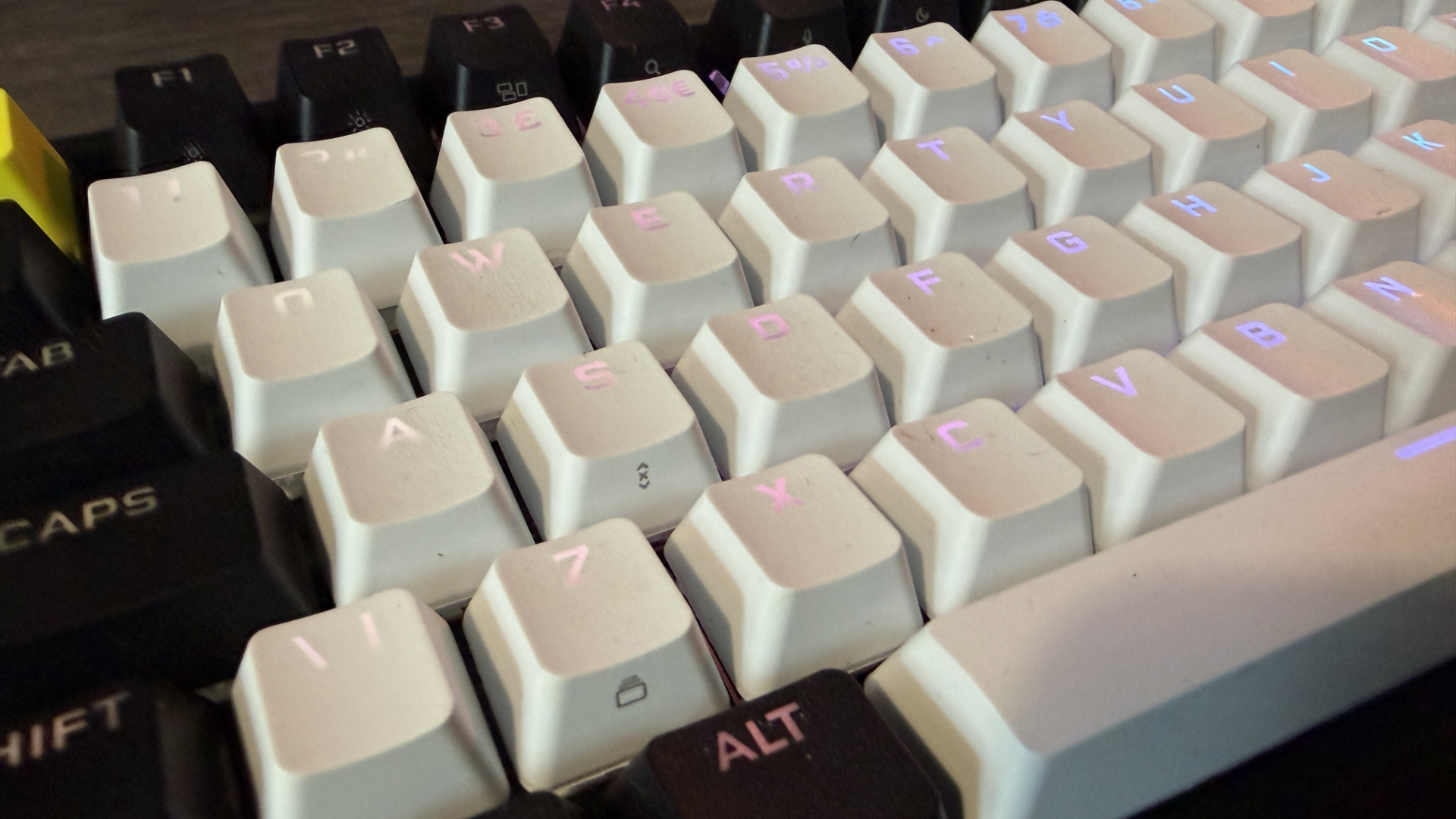
Software drama aside, overall typing is just a joy. My heavy-handed (read: hench) fingers absolutely love these keycaps and the surprisingly tactile feedback that each gives on full depression is just stunning. It's smooth, clean, and rapid. Actuation is beautifully clean, and the fact that you can adjust them to your absolute preference (again, so my heavy sausage fingers don't accidentally actuate while resting) is a real treat.
An added bonus on that front is FlashTap SOCD Handling, which effectively allows you to decide how your strafe keys behave on accidental keypress. Pressing D, but your finger slips on A, you can have it still move left with A, continue pressing D, or cancel both key presses simultaneously to stop you moving. It's a neat addition, particularly given how sensitive you can make the actuation point.
There has been some criticism around the industry that the sound dampening might be too aggressive, but honestly, I just don't see it. It may well be that your mileage varies depending on how you type. If you're a heavy keypress lubber like I am, you'll be more than at home on this thing.
There's one minor caveat I have on this thing, though, and that's the cost. It ain't cheap, chief. Asus's ROG Strix Scope II RX, for example, currently slides in at nearly half the price of this thing on Amazon, and you get similar performance from it. Pre-lubed optical red linear switches, sound dampening, a (singular) comprehensive software suite, and dare I say a numpad? Is it at the same level as the Makr Pro? No… But it's damn close.
Should I buy the Corsair Makr Pro 75?
Corsair Makr Pro 75 Scorecard
Attribute | Notes | Score |
|---|---|---|
Value | It's not the cheapest keyboard in the shed that's for sure, but Corsair's Makr Pro 75 is markedly more affordable than its fully custom Makr counterpart, and packs in a ton of spec for the price. | 3.5/5 |
Design | An otherworldly construction, and eight layers of sound-dampening make this the heaviest and possibly nicest keyboard money can buy. | 4.5/5 |
Performance | MGX switches are fast, responsive, and backed up with some seriously slick Flashtap SOCD tech, as well as eliminating unwanted input. iCUE/Web Hub is frustrating, though. | 4.5/5 |
Buy it if…
You want the custom board without the custom
Prebuilt sound-deadened, hot swappable switches baked inside a CNC aluminum chassis. She's a beauty and well worth it if you like the frills but don't have the time to commit to your own custom keeb.View Deal
You're a gamer and a professional
The MGX switch is outstanding for typists and gamers alike. Fast, agile, and oh so satisfying to click down on. Plus, you get that rapid trigger and 8,000 Hz polling.View Deal
You want god-tier build quality
It's dense, seriously dense. And that's all thanks to a wild amount of sound dampening and some serious internals giving it plenty of heft, and a surprisingly nice feel under click.View Deal
Don’t buy it if…
You're after "affordable" or "good value"
This ain't it. The Makr Pro 75 is a beauty sure, but the price tag is steep. There are boards that deliver similar quality at a far lower price point.View Deal
You're after a numpad at this quality
Live and die by your calculations? Spamming your card details and phone number every five minutes? That lack of numpad is going to ruin your day.View Deal
Also consider
Corsair Vanguard Air 99 Wireless
Fancy staying in the Corsair camp but want wireless and a near full layout? The Air 99 is a fine answer to that, with built in 8,000 Hz wireless, streaming keys, plus a rotary dial and LCD screen, it's a good choice. The only caveat? Low profile opto-mechanical switches rather than the beauty of Hall MGX.
Read our full Corsair Vanguard Air 99 Wireless reviewView Deal
Asus ROG Strix Scope II RX
If the missing numpad and the price just aren't your cup of tea, Asus' Strix Scope II RX might be your missing biscuit. It's a full-size board with outstanding pre-lubed RX Red linear optical switches, proper sound dampening, and PBT keycaps for around half the cost of the Makr and Makr Pro.
How I tested the Corsair Makr Pro 75
- Two weeks as my daily driver
- Tested across all types of content (gaming, novel-writing, day-to-day work)
- Used across multiple PCs
- Over a decade of testing PC hardware and 14 years of being keyboard-obsessed
Me and the Makr Pro 75 spent a lovely two weeks together straight. I swapped it out as my daily driver, and used it across both my own digital agency and freelance journalism as well, and leaned on it heavily for everything from hammering out chapters in a novel I'm writing, to long sessions in Total War: Warhammer 3, World of Warcraft as a healer, and dabbling in Cyberpunk 2077 too.
I wanted to ensure it was used across a mix of different applications and games, and thoroughly tested across all genres as well. The keyboard market is no longer targeted solely at young adults and kids, but also to those of us with full-time jobs as well, so ensuring it was capable of a bit of everything was tantamount to this review. I wanted to make certain that it was capable of handling a 2,000-word after-market PC build feature, as it was in a quick three-hour raid sesh.
Alongside the hands-on time, I also dug into the wider keyboard market as well, researching competing boards at and around the Makr Pro 75's price to place its build, switches, and value in proper context. I've spent over a decade testing PC hardware and peripherals, so I've got plenty of experience to draw on, both for how a board this expensive should feel and whether the asking price genuinely adds up.
- Read TechRadar’s reviews guarantee
- First reviewed: June 2026


Comments
Post a Comment