I loved a lot of things about the Dell XPS 14 (2026), but it won't make me ditch my MacBook Pro... yet
Dell XPS 14 (2026) Two-minute review
During my time as a tech journalist I’ve seen a lot of big companies make big mistakes, but it’s been rare to see a company acknowledge, let alone reverse, an unpopular decision. So when Dell announced at CES 2026 that it was resurrecting the Dell XPS 14 (and other XPS laptops), a year after it controversially dropped the XPS brand, I was pleasantly surprised.
Now, having spent time using the Dell XPS 14 (2026) as my main laptop, I’m pleased to report that those warm, fuzzy feelings (could this be hope? Joy? In 2026?!?!) have stayed with me. After years of slowly dropping pretty much every Windows 11-powered PC from my life, the Dell XPS 14 (2026) has won me back, proving that you don’t need to shell out for a MacBook if you want a stylish and high-performing laptop.
A lot of that is due to the latest Intel Core Ultra Series 3 (also known as Panther Lake) processors that power this new edition (my review unit came with the high-end Intel Core Ultra X7), and while it means the Dell XPS 14 (2026) can be classed as a ‘Copilot + PC’ and has the ability to run on-device AI tasks, what’s really exciting about the Dell XPS 14 is its power efficiency, which means it can offer fast performance and long battery life, all wrapped up in a stylish thin and light design.
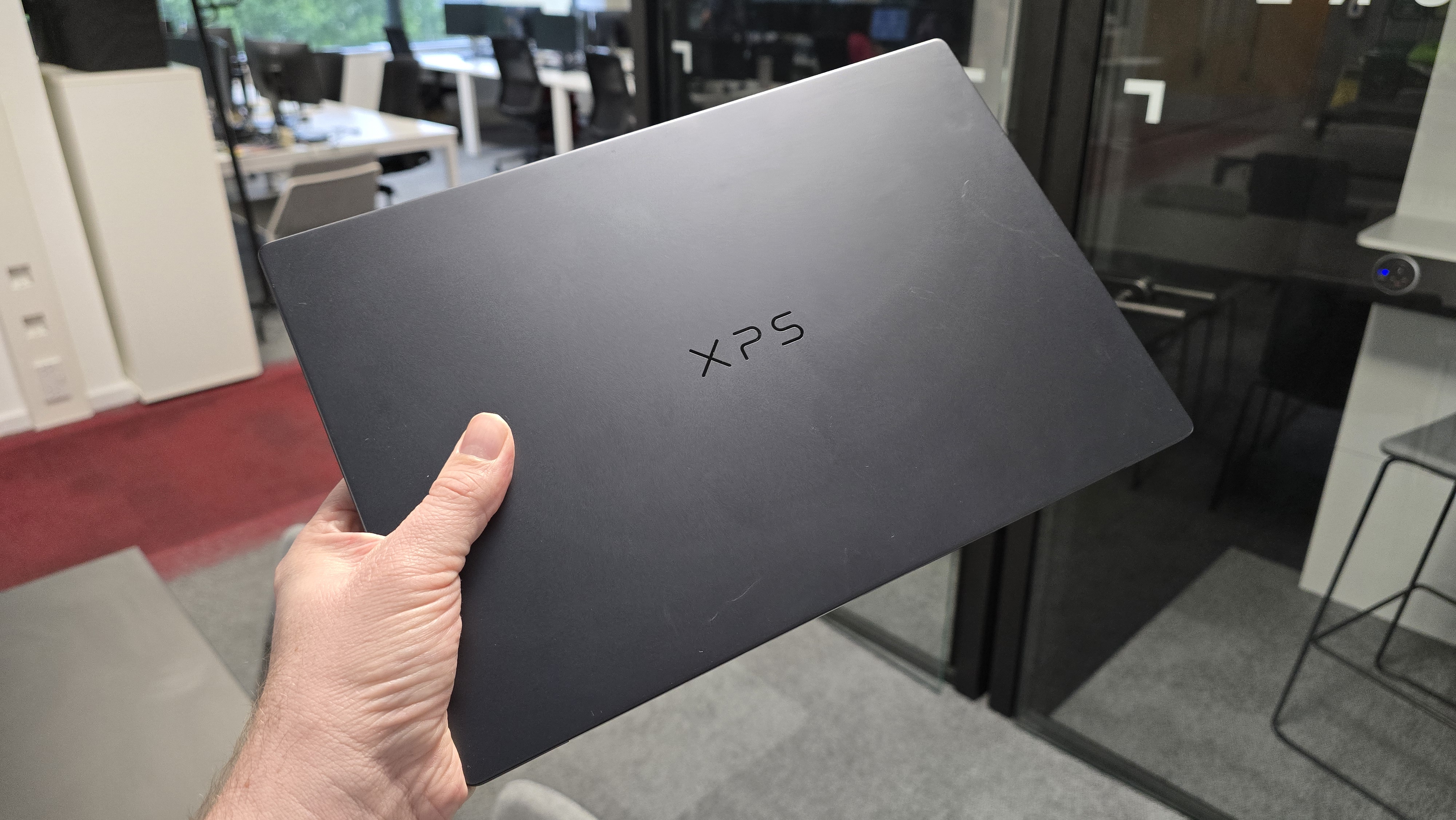
Speaking of the design, this is an extremely stylish laptop, and easily one of the best-looking Windows 11 devices I’ve recently seen. The Dell XPS 14 (2026) has had a redesign from previous models, with a sleek and modern look that easily competes with Apple’s best designs. In fact, it makes the MacBook Pro 14-inch (M5) feel quite bulky in comparison, although in the MacBook Pro's favor it comes with a lot more ports (there’s no HDMI or SD card reader here, just three USB-C ports).
As with many other Dell laptops, there are a lot of configuration options for the Dell XPS 14 (2026), and the model I’m reviewing here has a stunning 14-inch 2.8K (2880 x 1800) OLED InfinityEdge touch display. The InfinityEdge display means the bezels surrounding the screen are kept as thin as possible, and the OLED screen offers incredibly vibrant image quality, with deep blacks and high contrast. If you go for the option with a touchscreen, you get a display that outperforms anything found on a MacBook.
However, as good as the Dell XPS 14 (2026) is, it won’t be converting any MacBook users, mainly because while it does a lot of things just as well as the MacBook Pro, it doesn’t really do anything better, unless you go for the OLED model with touchscreen. Battery life is also a bit disappointing compared to M5 MacBooks, and even a few Intel Core Series 3 laptops. Sadly, Windows 11 also feels like it’s dragging down the Dell XPS 14 (2026) due to sometimes flaky reliability and a load of AI features that you’ll rarely want to use.
Dell XPS 14 (2026) review: Price and release date
- How much does it cost? $1,699.99 / £1,599 / AU$3,249.40
- When is it available? Available now
- Where can you get it? Available in the US, UK, and Australia
At launch, Dell claimed the new Dell XPS 14 comes with the "most accessible price" of an XPS device, and since its launch the company has introduced lower-specced models that reduce the cost of entry.
With the XPS lineup being Dell’s flagship series of devices, they’re always going to come with a price premium, so while the $1,699.99 / £1,599 / AU$3,249.40 starting price for the XPS 14 (2026) is certainly high, it’s at least not ridiculous, and is quite reasonable when you look at its competitors, and consider the difficult environment we currently face, with high component prices (especially regarding memory) increasing the prices of many gadgets.
For that money you get the entry-level Dell XPS 13 with an 8-core Intel Core Ultra 7 355, 16GB LPDDR5X RAM, 512GB SSD and a 14-inch non-touch 2K screen.
This lines up nicely with the MacBook Pro 14-inch M5 base model, which costs $1,699 / £1,699 / AU$2,699 for a 10-core M5 chip, 16GB of memory and 1TB of SSD storage.
While the XPS 14 (2026) costs slightly less in some regions, the MacBook Pro 14-inch comes with twice the storage space, which is an important consideration for people looking for a laptop to work on and store large files. Because the base model of the XPS 14 also foregoes OLED and touchscreen technology for the screen, the MacBook Pro also has the edge when it comes to display quality.
Dell also offers plenty of different configurations of the XPS 14 (2026), with the highest-specced model, which is the one I’m reviewing, costing $2,309.99 for an Intel Core Ultra X7 358H 16 core CPU, 32GB RAM and 1TB of storage.
Frustratingly, in the UK and Australia, the high-end XPS 14 models come with just 512GB of storage for £2,198.99 / AU$3,770.80. Also, Australian customers miss out on the OLED and touchscreen tech, whereas both the US and UK flagship models come with them.
While it’s good to see Dell offer a wide range of configuration options, these discrepancies do mean that you need to double check the specs carefully before you buy, which complicates things. Also, in some regions, you need to select ‘Customize now’ and manually pick the components from a list to get the configuration that best suits your needs and budgets. Again, this is great for choice, but it does make the whole process of buying and comparing the new Dell XPS 14 models more of an ordeal.
Otherwise, this is a pricey laptop, sure, but the specs and build quality (plus the snazzy new design) does mean you won't be feeling shortchanged.
It’s also fairly priced compared to its main competitor, the MacBook Pro 14-inch, though there are thin and light premium laptops, such as the MacBook Air, which are much more affordable if you don’t need the raw performance.
- Value: 4 / 5
Dell XPS 14 (2026) review: Specs
Category
| Base Configuration
| Performance Configuration
| Flagship Configuration
|
|---|---|---|---|
Price
| $1,599.99 / £1,599 / AU$3,249.40
| $2,049.99 / £1,899 / AU$3,649
| $2,699.99 / £3,049 / AU$6,399.80
|
Processor
| Intel Core Ultra 5 325
| Intel Core Ultra X7 358H
| Intel Core Ultra X7 358H
|
Graphics
| Intel Graphics
| Intel Graphics
| Intel Arc B390 (12 Xe-cores)
|
Display
| 14-inch 2K (1920x1200) LCD
| 14" 2.8K (2880x1800) OLED
| 14" 2.8K (2880x1800) OLED
|
RAM
| 16GB LPDDR5x
| 32GB LPDDR5x
| 64GB LPDDR5x
|
Storage
| 512GB PCIe 4.0 SSD
| 1TB PCIe 4.0 SSD (512GB in UK and Australia)
| 2TB PCIe 4.0 SSD
|
Battery Life
| Up to 27 hours
| Up to 21 hours
| Up to 19 hours
|
Weight
| 3lbs / 1.36kg
| 3lbs / 1.36kg
| 3lbs / 1.36kg
|
Connectivity
| Wi-Fi 7, Bluetooth 6.0, 3x USB-C (Thunderbolt 4)
| Wi-Fi 7, Bluetooth 6.0, 3x USB-C (Thunderbolt 4)
| Wi-Fi 7, Bluetooth 6.0, 3x USB-C (Thunderbolt 4)
|
Dell XPS 14 (2026) review: Design
- Sleek new design
- Touchpad accessibility improvements
- Still lacks ports
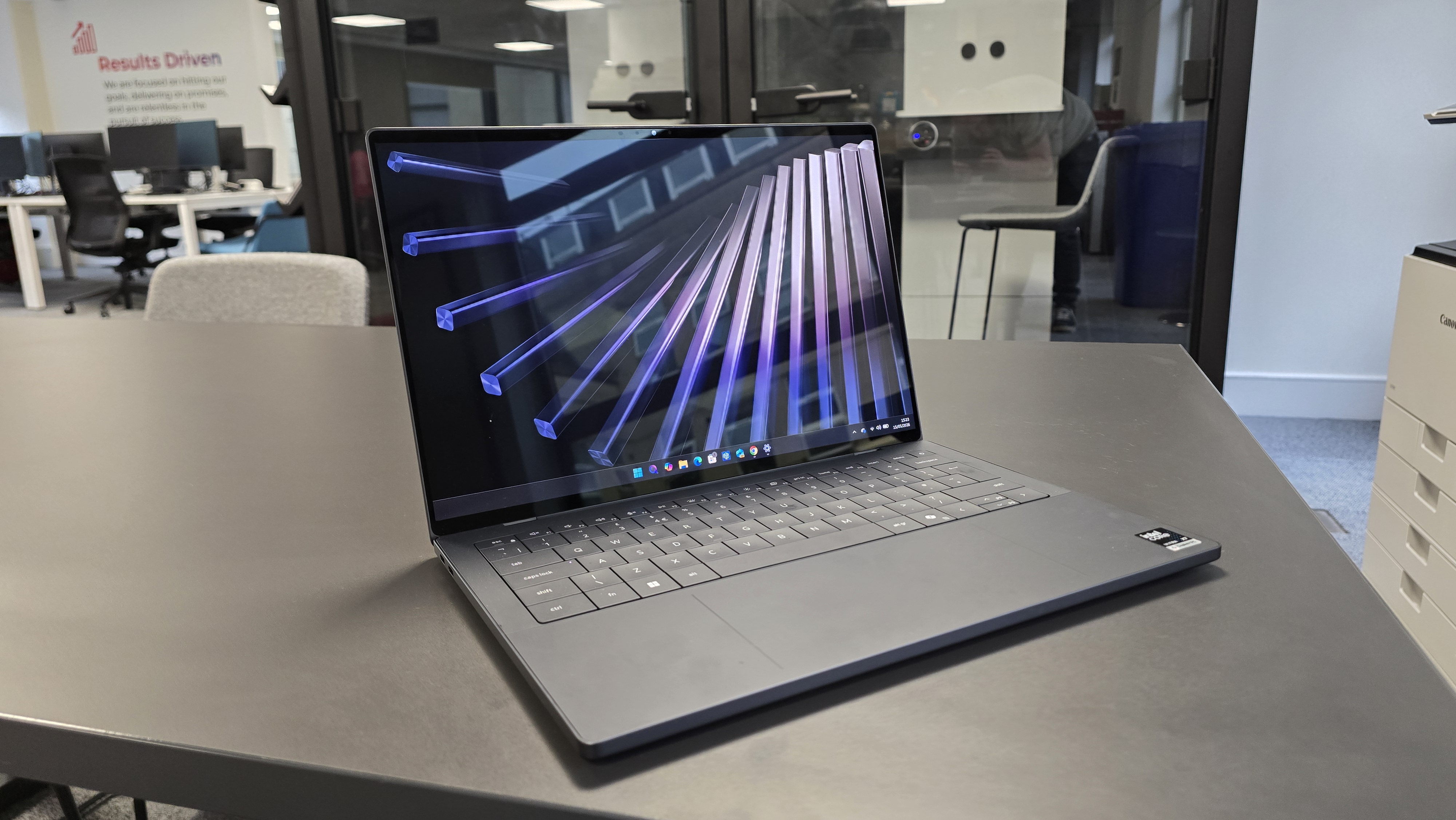
The return of the XPS line has offered Dell an excuse to overhaul the design of its premium laptop, and the new-look Dell XPS 14 (2026) is easily one of the best-looking laptops you can currently buy. Its straight edges and rounded corners remind me a little of Apple’s modern MacBook Pro designs, but while there are similarities, the XPS 14 doesn’t feel like a MacBook clone (unlike laptops from some manufacturers *cough* Honor *cough*).
Instead, the Dell XPS 14 (2026) has a very modern, yet still Dell-feeling, design, with impressively thin bezels that surround the screen, and a keyboard with large, easy-to-hit buttons which, despite being flat, still offer a satisfyingly tactile experience when typing.
Below the keyboard is plenty of space to rest your wrists when typing, along with a tweaked touchpad. Dell’s designs for its previous flagship laptops had a touchpad that was completely integrated into the body of the laptop, with no visual clues as to where it was. While this enabled a sleek, minimalist design, it wasn’t great for accessibility, as there was no way of knowing where the touchpad began and where it ended.
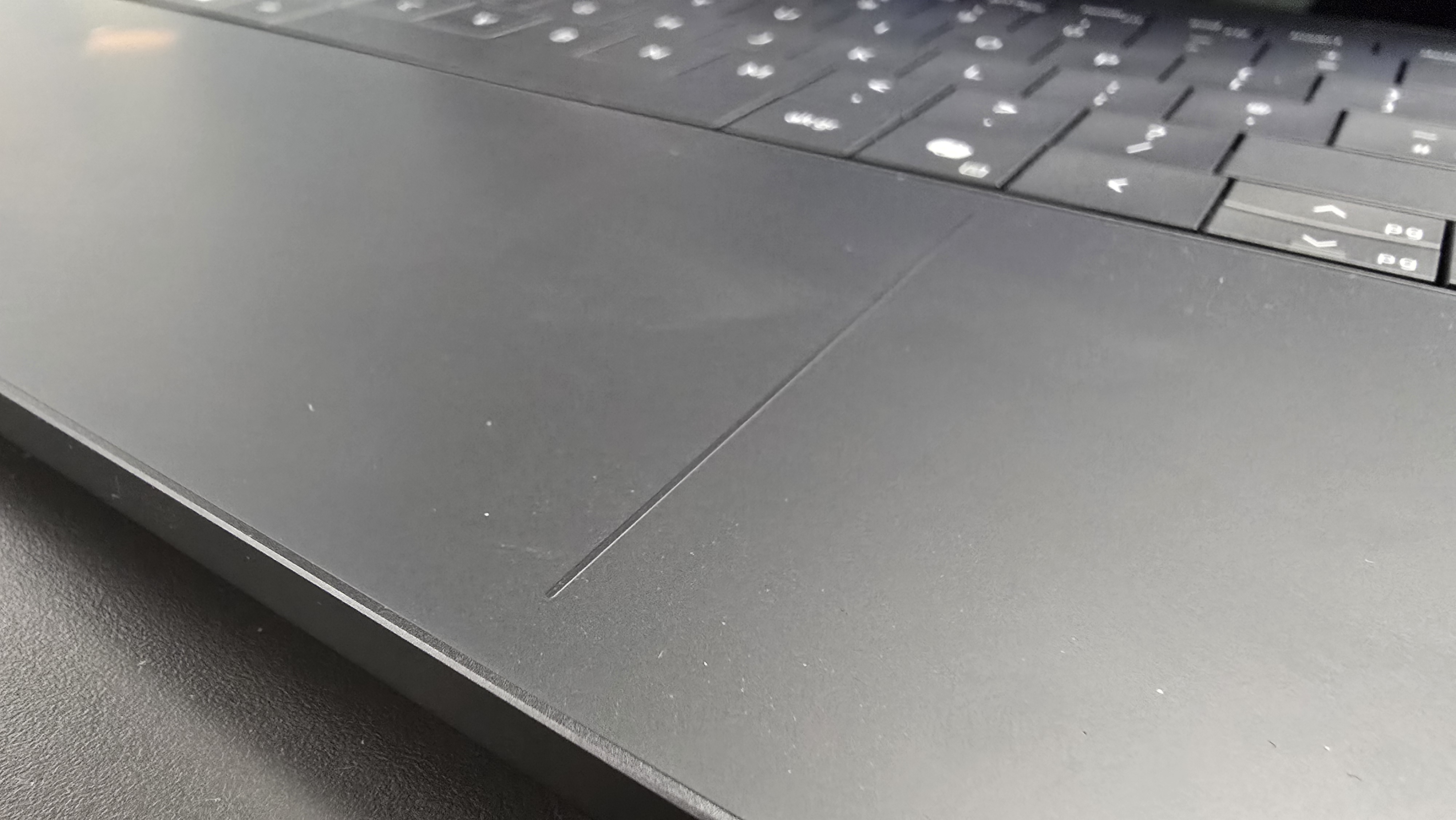
This has been partially rectified with the new design, and in a rather elegant way. There are now two thin raised lines on either side of the trackpad, which act as subtle visual and tactile indicators of where the trackpad is, making it easier to use whilst still keeping the clean aesthetics.
Dell has also brought back the physical function keys (F1 – F12) that run across the top of the keyboard, replacing the touch-only bar of previous models which, like the touchpad, looked nice, but presented accessibility issues. It’s good to see Dell once again put functionality over form, and without compromising the slick, premium design of the new XPS 14.
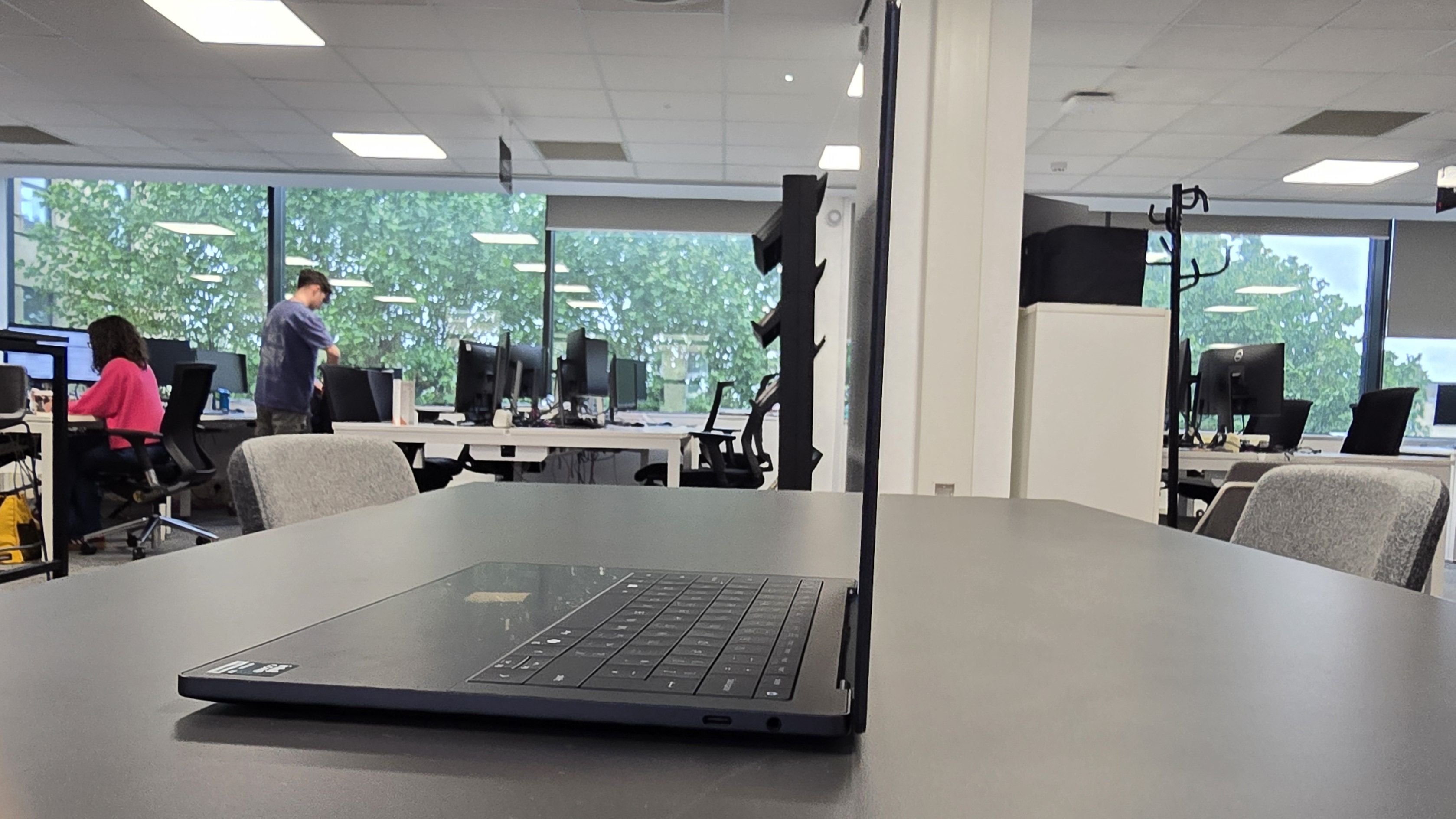
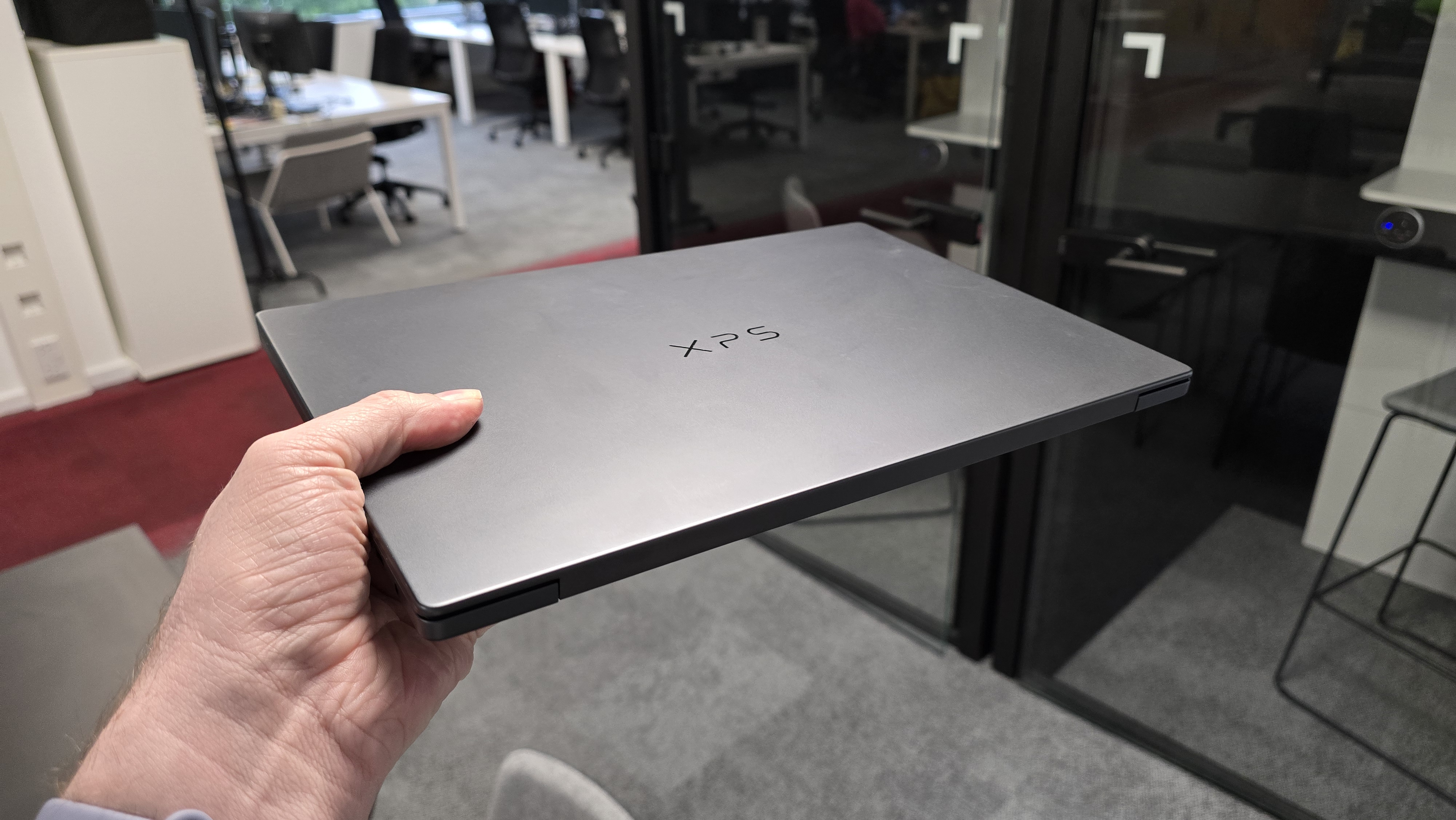
With dimensions of 0.60 x 8.26 x 12.19 inches (15.20 x 209.71 x 309.52mm), the Dell XPS 14 (2026) is slightly thinner and smaller than the MacBook Pro 14-inch with M5, though not by much. Dell claims it is its thinnest laptop ever, at weighing in at around three pounds, it’s lighter than the previous model about around half a pound.
The designs of these two competing laptops are very similar, with both sporting square edges and rounded corners. The Dell XPS 14 (2026) doesn’t offer as many ports, however — just three USB-C ports and a 3.5mm headphone jack. Meanwhile, the MacBook Pro 14 offers those plus a HDMI port and memory card slot.
While those are two additions that not everyone is going to make use of, if you do need them (photographers importing photos from their cameras, for example, or anyone who wants to plug their laptop into a monitor, projector or TV), then their inclusion in the MacBook Pro will be welcome. If you're using the Dell XPS 14 you’ll need to use a USB hub or adaptor for those connections, which isn't a huge issue, but it's a potential additional expense, and an extra thing you need to carry around.
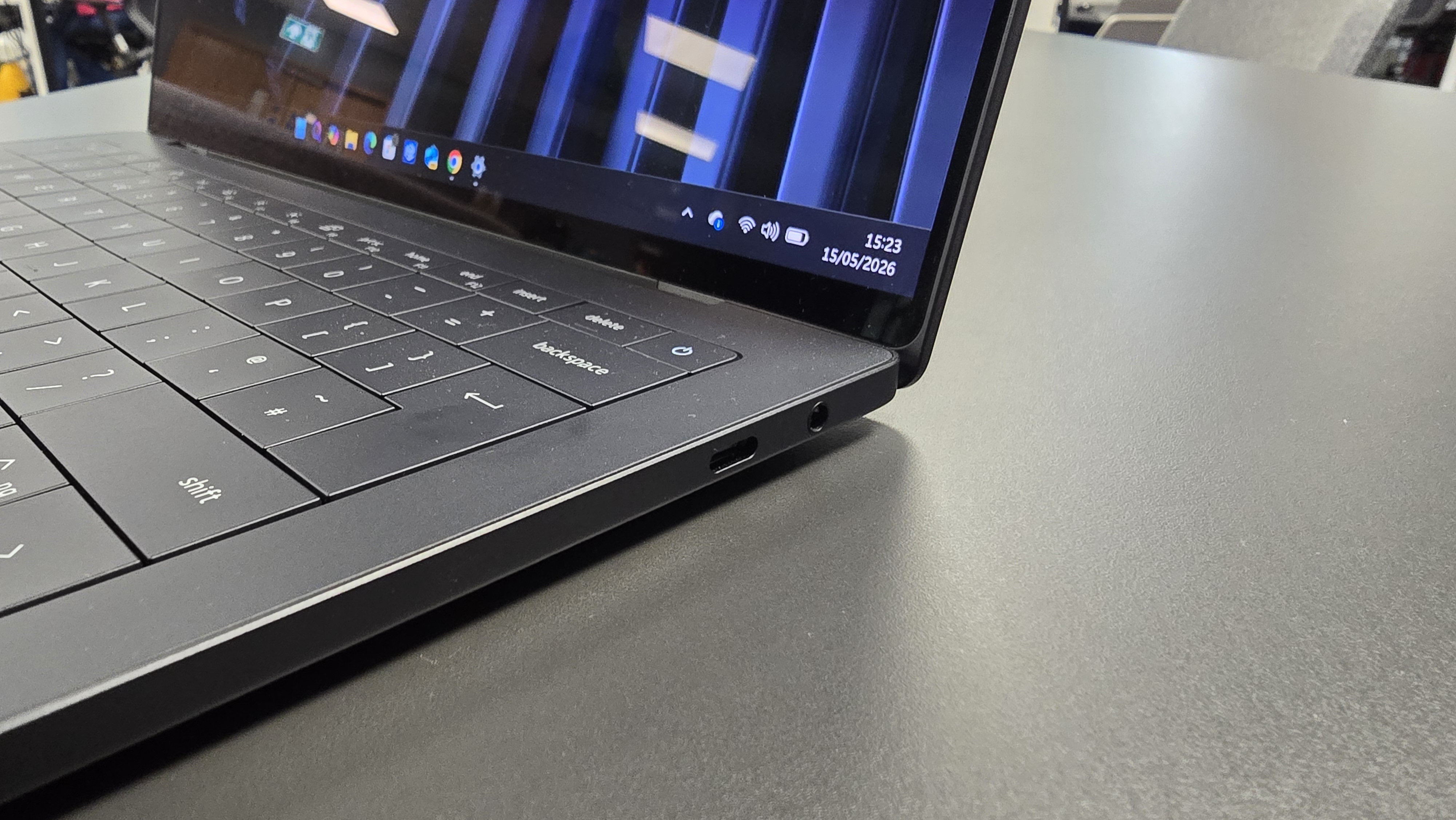
The MacBook Pro is charged via its MagSafe 3 port, while with the Dell XPS 14, as with many modern laptops, you’ll need to use one of the USB-C ports for charging. Again, not a huge inconvenience, but something you might want to consider.
What I do appreciate about the Dell XPS 14’s USB-C ports is that they're modular, which means they should be relatively easy to fix or replace if damaged. While you likely won’t want to do it yourself, it should mean that repairs are more affordable, which should reduce e-waste. Repairability is something Apple still lags behind on.
The new XPS 14's design also incorporates recycled steel, cobalt and copper, which is good to see.
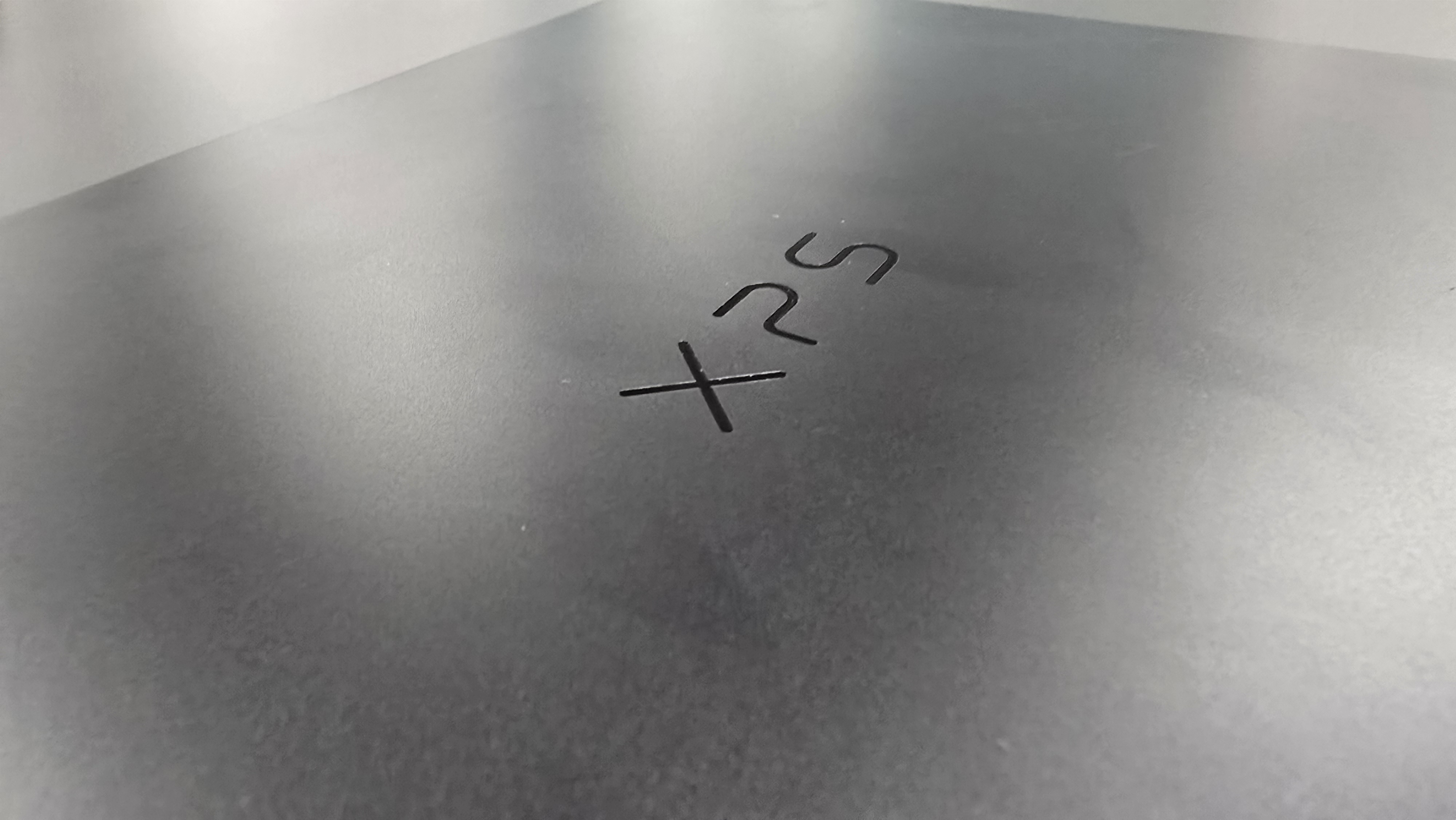
The final change in the Dell XPS 14 (2026)’s design also, in my view, highlights Dell’s new-found commitment to the XPS brand. On the back of the laptop’s lid, where the Dell logo was previously, is now the XPS logo. Not only does this show how Dell is pushing XPS as a brand, it’s also an acknowledgement that the Dell name is often associated with solid, but not exciting, business devices. With its new design, Dell is clearly pitching the XPS 14 (2026) as an aspirational, flagship, product — and it certainly looks the part.
- Design: 4.5 / 5
Dell XPS 14 (2026) review: Performance
- Strong performance across apps
- It can even play games
- Windows 11 did crash when benchmarking
The Dell XPS 14 (2026) is one of the first high-profile laptop releases to use Intel’s new Core Ultra Series 3 (also known as Panther Lake). In recent years, Intel’s dominance of the CPU market has been challenged, especially by Apple’s move to its own M-series chips, which are based on rival Arm CPU architecture.
Panther Lake is Intel’s response, prioritizing power efficiency while maintaining performance, and based on my time with the Dell XPS 14 (2026), I’m very impressed — so much so that I think this could be the beginning of a resurgence, not just in Intel-based laptops, but for Windows 11-powered laptops in general.
Since the launch of the first Arm-based MacBook, the MacBook Air (M1, 2020), I’ve almost lost interest in Windows laptops — something I never thought would happen, having used some form of Windows since 3.1 in the early 1990s. However, the battery life and performance of the rebooted MacBook Air put Windows laptops of around the same price point to shame, and they felt like the future of laptops.
By comparison, Windows laptops, especially Intel-based ones, have felt a bit stuck in the past, with uninspiring performance and poor battery lives. The tendency of many Windows laptops to drain their batteries even when they're not being used has also been a big pain point — you can often be left with a dead device that needs to be plugged in when you pick it up after a week or so of it sitting on a desk.
My growing ambivalence towards Windows laptops wasn’t just about the hardware, mind you. The increasingly-bloated and pushy Windows 11 wasn’t doing them any favors either.
So while the Core Ultra Series 3 chip that's the beating heart of the Dell XPS 14 (2026) fixes a lot of those performance issues (especially when it comes to battery life), on the software side I’m still waiting for Microsoft to realize that we’re not as keen on Copilot AI features as it seems to think we are.
However, I'm glad to report that the Dell XPS 14 (2026) addresses a lot of my complaints about modern Windows 11 laptops. Performance-wise, Windows 11 feels fast and responsive, and various apps I tried, including Adobe Photoshop and Ableton Live 12, loaded and ran quickly. Because the Dell XPS 14 (2026) uses Intel’s common x86-64 architecture, which is a lot more common than Arm’s architecture, pretty much any Windows 11 app can run natively on the Dell XPS 14 (2026) without you needing to either wait for app makers to create an Arm version (a common problem with early Windows on Arm laptops that couldn’t run a lot of popular applications), or use the Prism emulation layer (a tool made by Microsoft that allows x64 apps to run on Arm hardware, which introduces a slight performance hit).
As a *sigh* Copilot+ PC, AI performance is a big selling point of the Dell XPS 14, though I still maintain that those AI tools are the least interesting parts of the laptop. Still, Dell claims the new Dell XPS 14 offers 57% faster AI performance compared to the last model. If you use on-device AI tools, rather than cloud-based ones, then this may be good news, though most people use cloud-based tools (if any), such as ChatGPT, so those numbers won’t really mean much.
3DMark: Night Raid: 40,785; Fire Strike: 13,314; Time Spy: 6,533
GeekBench 6.5: 2,867 (single-core); 16,927 (multi-core)
25GB File Copy: 18,91 seconds
Handbrake 1.9: 4:30
CrossMark: Overall: 1,840 Productivity: 1,619 Creativity: 2,258 Responsiveness: 1,460
Sid Meier's Civilization VI: Gathering Storm: 80.293fps
Web Surfing (Battery Informant): 12 hours, 19 minutes
I dabbled in a few AI tools, such as Cocreator in Paint (yes, the iconic basic art app now has AI in it), and the XPS 14 performed fine; but let’s be honest, no one is buying a premium laptop like this to turn doodles into AI generated 'art'.
But, like I said, AI is the least interesting aspect of the Dell XPS 14 (2026)’s performance, and I was particularly impressed with its gaming performance. Of course, this isn’t a gaming laptop, but I was able to get 30fps in Cyberpunk 2077 with ray tracing on, and at the native resolution of 2880 x 1800. That’s a brilliant result for a thin and light laptop that’s not designed for gaming (and which doesn’t have a discrete graphics card). Turning on Xess frame gen (essentially Intel’s version of DLSS Multi Frame Generation, which generates additional frames) bumps that up to an average of 51.67fps.
While you won’t want to buy the Dell XPS 14 (2026) purely for gaming, it does mean you can load up a game when you want to unwind and have a pretty great experience. It also suggests that Intel’s Ultra Series 3 chips are seriously impressive, and while no XPS 14 version comes with a graphics card, if you want to do some graphically-intensive creative work, this is an excellent choice.
The OLED screen on the XPS 14 that Dell sent me further burnishes the laptop’s creative credentials, offering gorgeously vibrant colors and high contrast. Blacks, especially, are excellent, with no light bleed from brighter colors diminishing their effect. Both LCD and OLED versions of the XPS 14 support variable refresh rates up to 120Hz. This means using Windows 11 and browsing websites feels fast and responsive, and when a fast refresh rate isn’t needed, such as when you’re looking at a static web page, the refresh rate can drop to as low as 1Hz, which helps prolong battery life.
While the Dell XPS 14 (2026) generally provided rock-solid performance while I was using Windows 11, and even for a spot of gaming, when I tried to run PC Mark 10 benchmarking software, the laptop kept crashing with a ‘SECURE_PCI_CONFIG_SPACE_ACCESS_VIOLATION’ error message. It only happened when trying to use PC Mark 10, and it appears to be an issue with Windows 11’s Memory Integrity setting. I’m willing to chalk this up as a Microsoft problem, not a Dell one, and it only occurred while benchmarking, so hopefully this won’t be an issue for most people; but it was another reminder of why I’m falling out of love with Windows 11 devices.
- Performance: 4 / 5
Dell XPS 14 (2026) battery life
- Over 12 hours
- Not as long as some competitors
The Dell XPS 14 (2026) runs on Intel’s Panther Lake hardware, which has been developed to be as energy efficient as possible, which means the laptop should be able to run on battery power for longer between charges.
In our battery benchmark tests, the Dell XPS 14 hit 12 hours and 19 minutes before the battery ran out. This was during our tests that replicate moderately intensive workloads, such as web browsing and streaming media. That’s pretty good for an Intel-based Windows 11 laptop, though it’s around six hours less than the latest MacBook Pro 14-inch achieved in similar conditions.
So, while you're not getting the longest battery life in a laptop, the Dell XPS 14 will at least get you through an entire work or school day on a single charge, though that will depend on the tasks you’re performing on it (more intensive workloads, such as 3D modeling or video editing, will deplete the battery faster).
For the performance the Dell XPS 14 (2026) offers, the battery life is certainly welcome, if not mind-blowing. I’d still suggest a MacBook Pro if you want the best combination of performance and battery life, but it’s good to see Windows 11 laptops catching up.
In my day-to-day use of the Dell XPS 14 (2026), I was impressed with how slowly the battery seemed to drain – with a lot of other Windows 11 laptops, I find myself nervously checking the battery life percentage throughout the day as I work. With the Dell XPS 14 (2026), I was happy to unplug the laptop and go to a few meetings, confident that the battery would last.
Another thing I really like is that the battery doesn’t drain while the laptop is off. This is a real pet peeve of mine when it comes to Intel-based Windows laptops: I’ll close the lid while there’s still battery remaining, only to find when I open the laptop up a few days later that the battery is dead.
That’s not a problem with the Dell XPS 14 (2026) — even after not being used for almost a week (hey, us tech journalists need holidays as well), the Dell XPS 14 (2026) still had plenty of juice when I opened it back up. For MacBook and Chromebook users, this might seem like a strange thing to praise, but anyone who's used an older Windows laptop will understand what a big deal this is.
- Battery life: 4 / 5
Should I buy the Dell XPS 14 (2026)?
Attribute
| Notes
| Score
|
|---|---|---|
Value
| This is an expensive laptop, but it’s fairly priced considering the performance and build quality on offer. | 4/5
|
Design
| The Dell XPS 14 (2026) has a new design that’s sleek, stylish, and sets the revived XPS brand apart from the rest of Dell’s lineup – and it succeeds. This is a great-looking laptop.
| 4.5/5
|
Performance
| Performance is generally excellent, with the Dell XPS 14 (2026) handling a mix of day-to-day and more intensive tasks with ease, and compatibility is not a concern due to the Intel hardware. It can even do a good job of gaming. However, Windows 11 still had a couple of funny turns. | 4/5
|
Battery life
| For a Windows 11 laptop, the Dell XPS 14 (2026)’s battery life of well over 12 hours is very good, but there are laptops on sale, especially MacBooks, which offer longer times between charging. | 4/5
|
Buy it if…
You want a stylish and powerful Windows 11 laptop
The new design of the Dell XPS 14 (2026) is excellent, and performance is also impressive.View Deal
You like to dabble in gaming
While this is not a gaming laptop, it does a decent job of running games using its integrated Intel Arc graphics, including graphically-demanding titles.View Deal
You’re jealous of MacBook owners
The Dell XPS 14 (2026) is a rare Windows 11 laptop that comes close to challenging Apple’s MacBooks when it comes to performance, design, and build quality, while still running on Microsoft’s operating system.View Deal
Don’t buy it if…
You don’t have a big budget
The Dell XPS 14 (2026) is a pricey and premium laptop, and while it offers plenty of style and power for the price, it won’t be for everyone.View Deal
You want a laptop with the longest battery life
The Dell XPS 14 (2026)’s is good, but it’s not got the longest battery life of modern laptops. There are Chromebooks, as well as the latest MacBooks, which easily outlast it.View Deal
You’re sick of Windows 11
The Dell XPS 14 (2026) is a Windows 11 laptop, with all the pros and cons that entails. If you don’t like the constant addition of AI tools and sometimes flaky performance of Windows 11, the Dell XPS 14 (2026) won’t change your mind.View Deal
Also consider
Apple MacBook Pro 14-inch (M5/M5 Pro/M5 Max)
Apple’s latest MacBook Pro 14-inch is the most obvious alternative to the Dell XPS 14 (2026), offering excellent performance and a stylish design, while also keeping the overall size of the laptop portable. It offers a longer battery life, but no touchscreen.
Read our full Apple MacBook Pro 14-inch (M5/M5 Pro/M5 Max) reviewView Deal
HP OmniBook 7 14
This 14-inch laptop from HP also runs Windows 11, and it comes with a much more affordable price tag. However, it has a slightly older Intel Core Ultra Series 2 chip, rather than the Series 3, and the screen isn’t as nice.
Read our full HP OmniBook 7 14 reviewView Deal
How I tested the Dell XPS 14 (2026)
- I spent several weeks with the Dell XPS 14
- I used it for work, browsing the web and playing games
- I have almost 20 years of laptop-testing experience
I’ve been using the Dell XPS 14 (2026) for several weeks for a variety of tasks, including writing, browsing the web, and photo editing. I also tried out a few games to see how well the Intel Core Ultra Series 3 chip handles things, and I was impressed.
I’ve been reviewing laptops for almost 20 years, including multiple Dell XPS devices, as well as MacBooks and Chromebooks, and I've called on that experience to assess the performance of the Dell XPS 14 and make meaningful comparisons with rival laptops.
- Read TechRadar’s reviews guarantee
- First reviewed: May, 2026


Comments
Post a Comment